Crew hours on the job site: how Boston-area contractors stop losing time on paper
Paper timesheets and texted hours cost you money twice. A practical way to track crew hours per job, from a Greater Boston contractor's point of view.
By AGT Work Crew Team
It's Friday afternoon somewhere between Quincy and Framingham. Someone in the office is trying to read a timesheet that spent the week on a truck dashboard, three workers have texted their hours, and one of them is sure he stayed until five on Wednesday. Every contractor in Greater Boston knows this scene. It costs more than it looks like.
Bad hours cost you twice
When hours come from memory, paper or group texts, you pay for it in two places:
- On payday. Rounded-up hours, forgotten lunch breaks and "I think I was there until five" add up across a crew, every single week.
- On the job. If you don't know which job the hours belong to, you don't know what that job really cost. A kitchen remodel in Newton can look profitable on paper while labor quietly eats the margin.
There's a third cost, too: time. Somebody has to chase, decode and type those hours, and that somebody is usually you.
A simple system that works on any job site
You don't need a complicated process. You need hours that are captured once, at the source, per job:
- Clock in and out on the job, not at the end of the week. The best time to record hours is the moment the work starts and stops.
- Tie every hour to a job. "Eight hours" isn't useful. "Eight hours on the Dorchester triple-decker" is.
- Record meal breaks the same way. If your company deducts an unpaid lunch, apply the rule consistently instead of guessing.
- Review exceptions, not every line. Most entries are fine. Spend your time on the ones that look off.
- Correct with a reason, and keep the original. Mistakes happen. What matters is that every change shows who made it, when and why.
- Close the week before payday. Hours finalized on Monday are hours you can pay correctly on Friday.
Make it work for the whole crew
A system only works if the crew uses it. Around Boston, many crews speak Portuguese or Spanish as a first language, and plenty of basements, new builds and old brick buildings have no cell signal. Whatever you choose has to work in the worker's language and keep working without a connection.
It also has to respect the crew. Workers are more willing to clock in from their phone when they know the app checks location only at the moment they clock in or out, and doesn't follow them around all day.
How AGT Work Crew handles it
AGT Work Crew was built for exactly this:
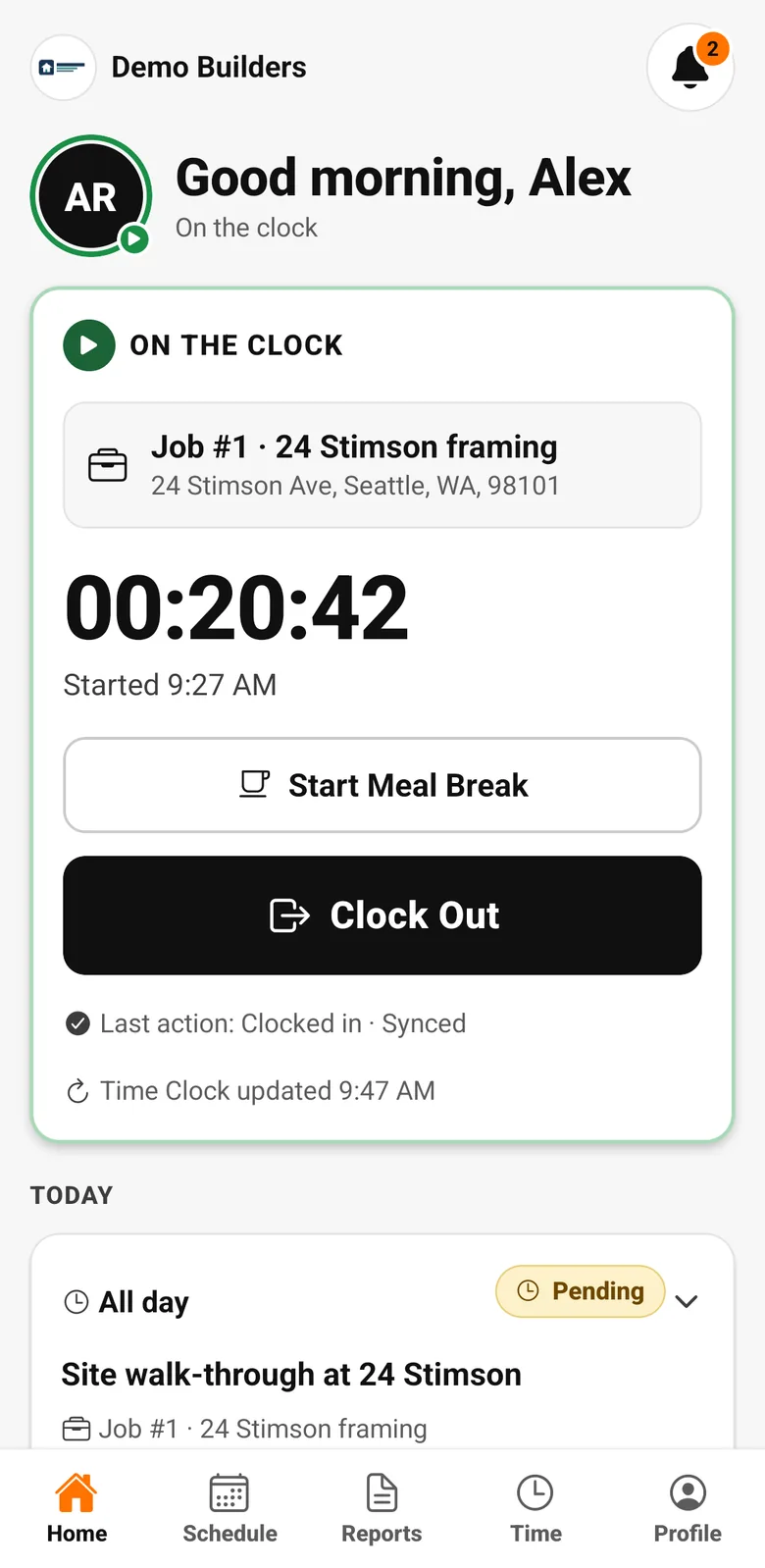
- Workers clock in and out per job from the app, and start and end meal breaks with one tap.
- The app takes one location reading at each clock event and compares it with the job site. Entries outside the radius you set, or without location, are flagged for review.
- It works offline: clock events are stored on the phone and sync when the connection is back.
- The app is available in English, Spanish and Portuguese.
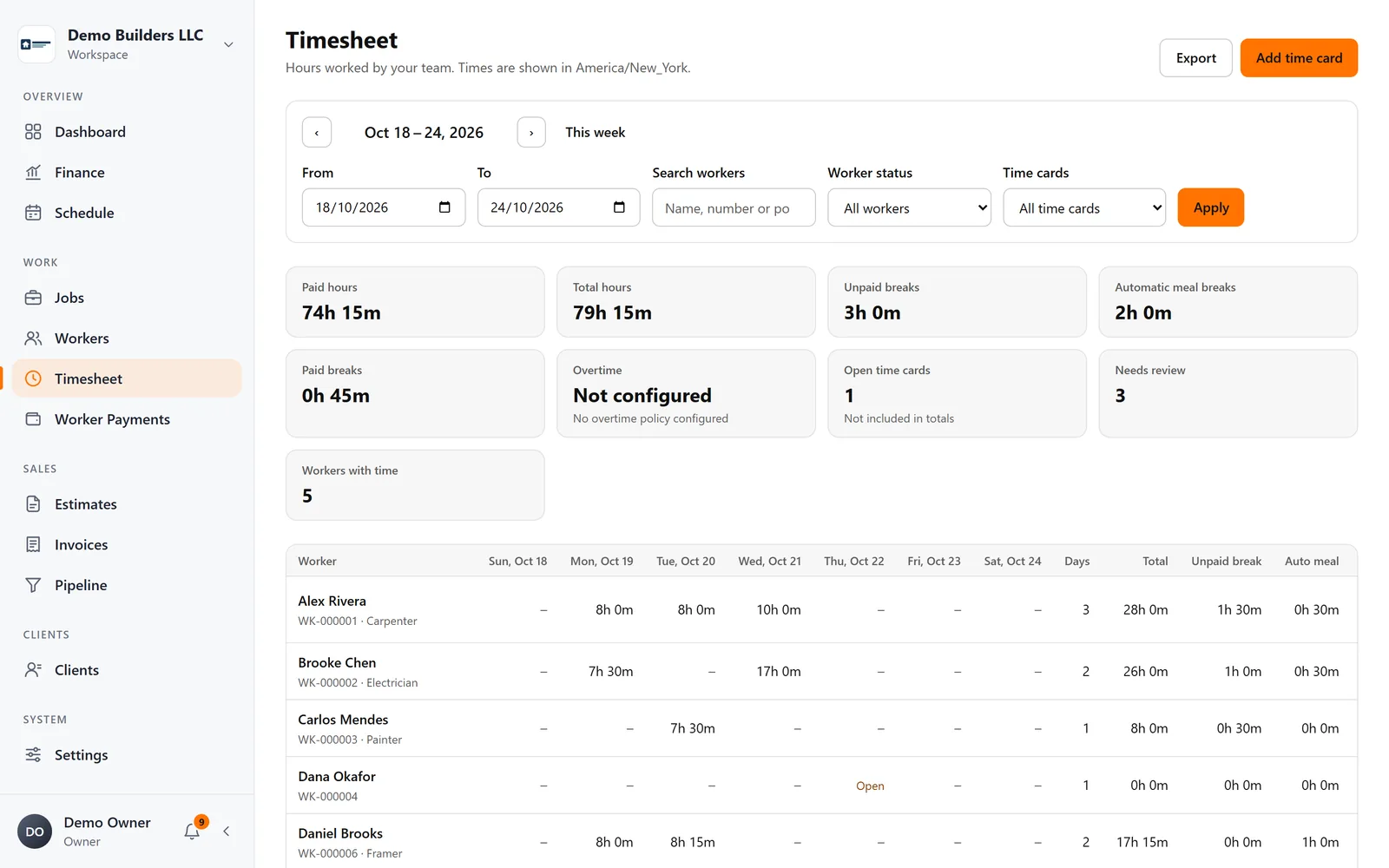
- In the Timesheet, you see hours by worker and period, correct entries with a reason while the original stays in the history, apply your automatic meal-break rule and export to PDF or CSV.
- Hours flow into each job's labor cost, so you see what every job really makes.
Hours that are right the first time make payday faster, job costs honest and your records ready for whoever asks. See how the time clock works.