
Field reports with photos, in minutes, from the job site
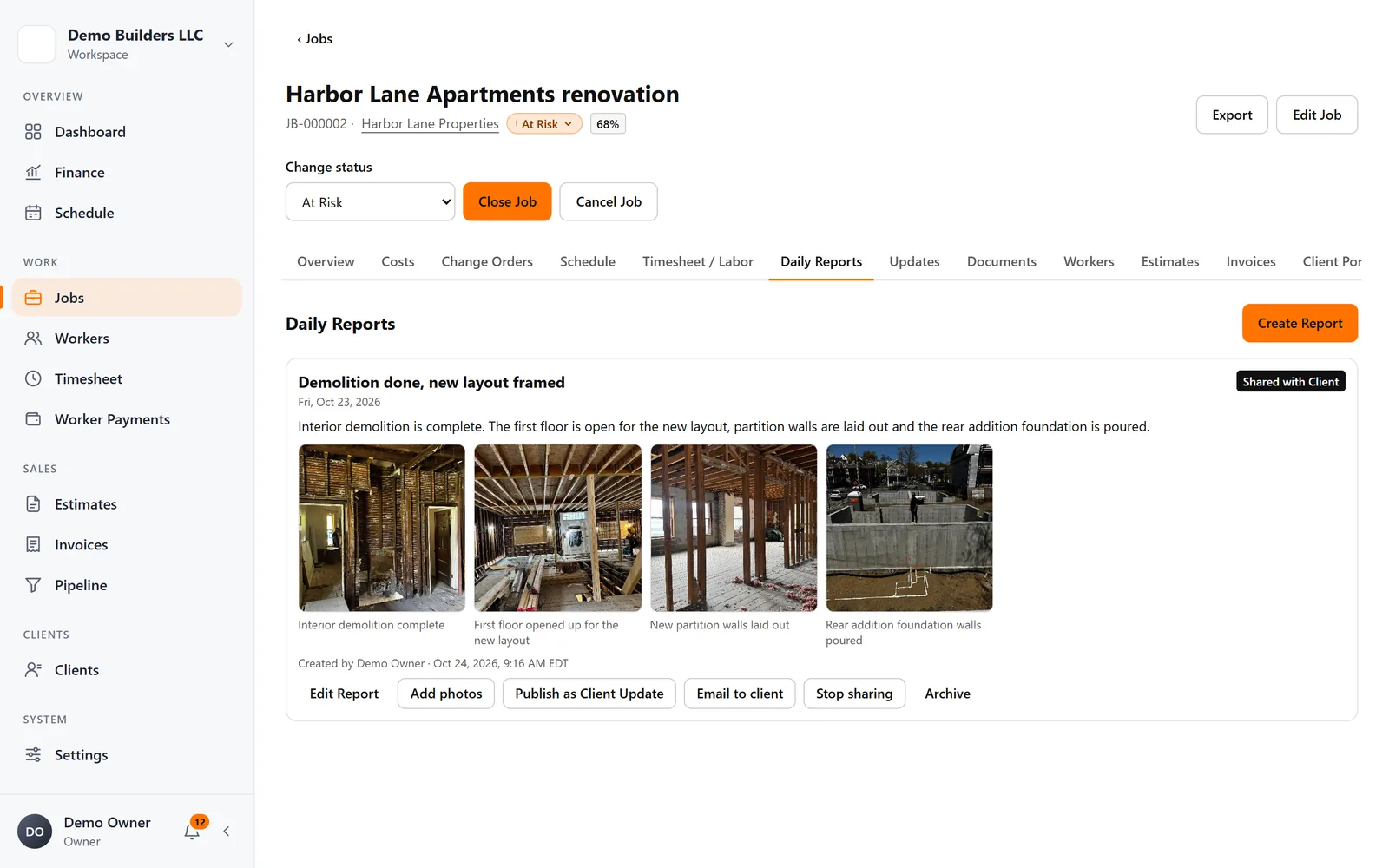
Workers or you write daily reports with photos and captions. Keep them internal, or share them with the client in the Client Portal and by email.
The problem
If it isn't documented, it didn't happen
Progress photos scattered across phones don't help when a client asks what was done, or when a dispute comes up.
What you get
- Reports with photos and captions
- Written by you on the web or submitted by workers in the app
- Offline drafts in the app
- Private by default; share with the client when you choose
- Email a report to the client with photo thumbnails
- Turn a report into a client update
How it works
Daily Reports, step by step
- 1
Report from the field
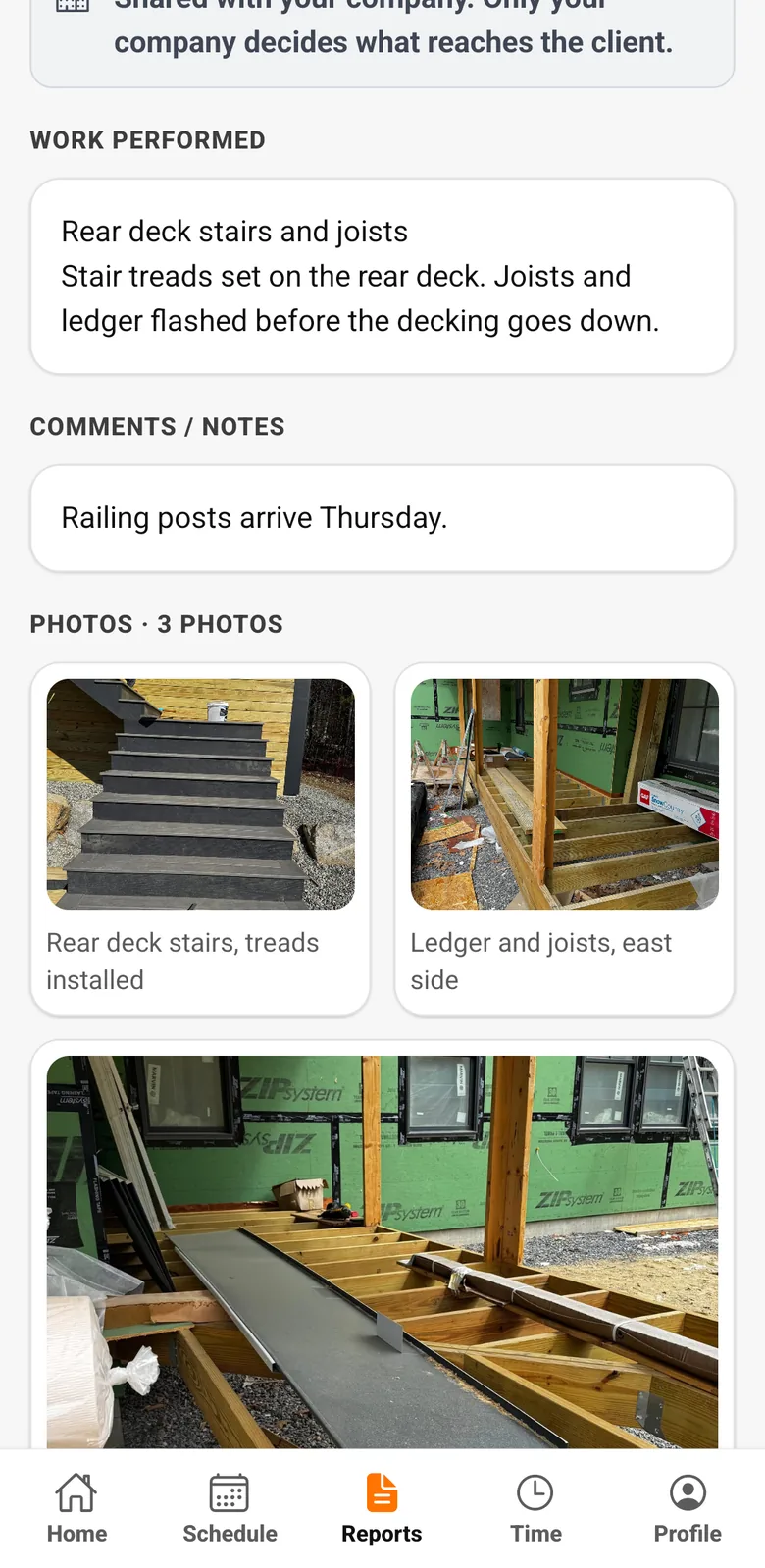
Workers write a report in the app, add photos and captions, and submit it, even offline. You're notified when it arrives.
- 2
Everything on the job
Reports and photos are stored with the job, private by default.
- 3
Share when you choose
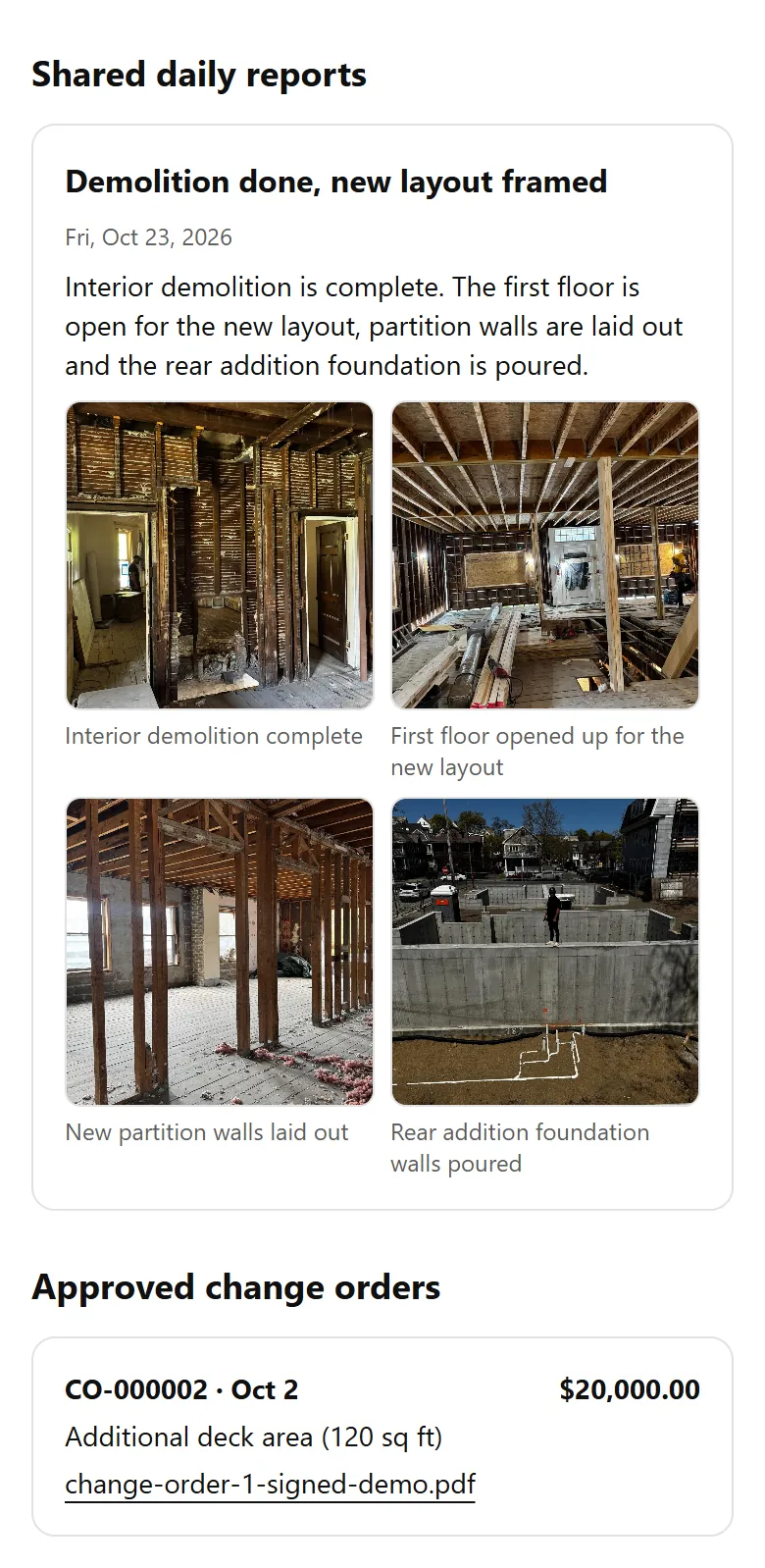
Share a report with the client in the Client Portal, or email it with photo thumbnails. Internal notes are never shared.
Industries
Popular with
FAQ
Daily Reports questions
Will my client see internal notes?
No. Only the title, date, description and photos of reports you share are visible to the client.
Can workers submit reports without signal?
Yes. Drafts are saved on the phone and submitted when the connection returns.
Works together with
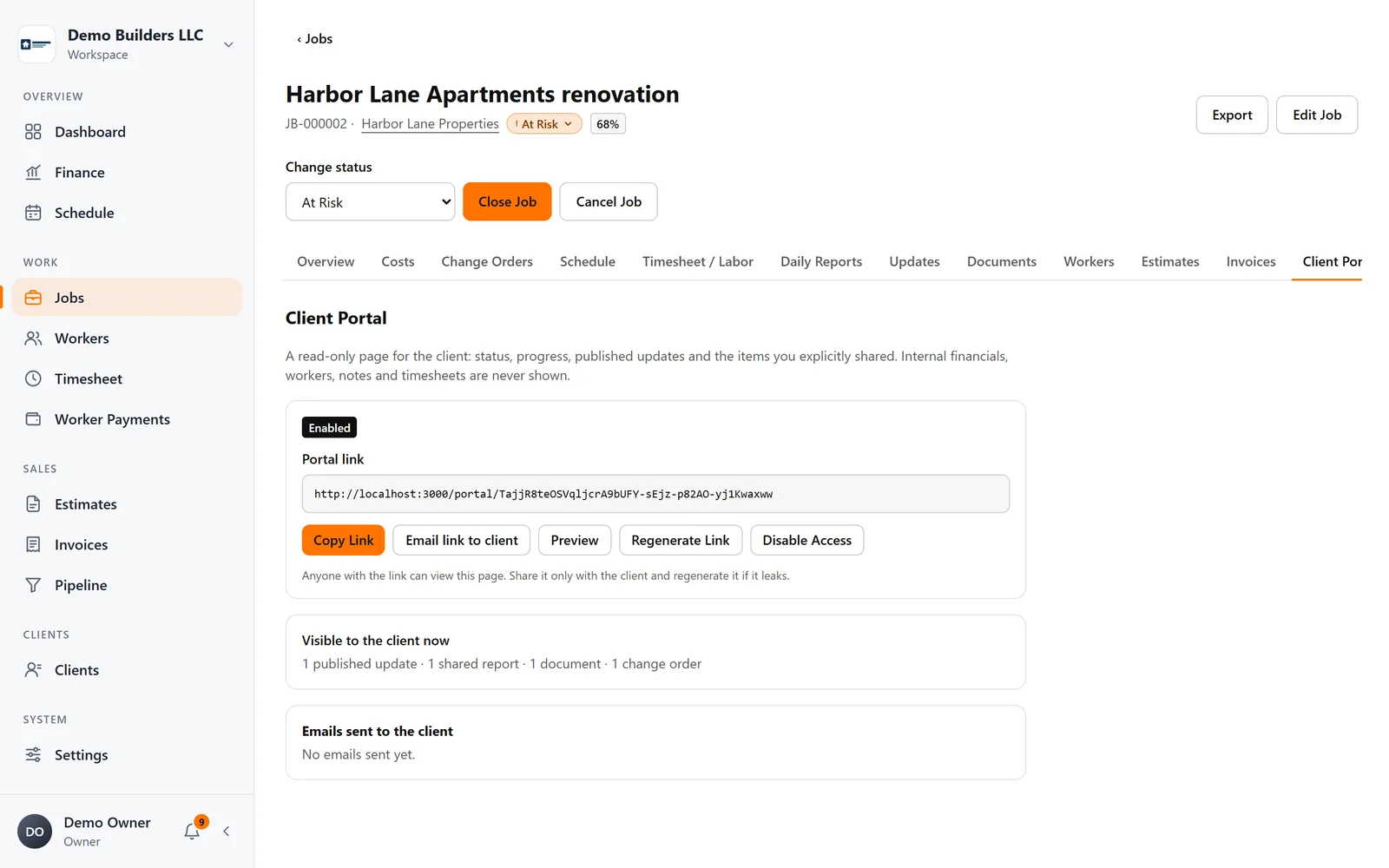
Client communication
Client Portal
Give each client a secure project page with progress, updates, shared daily reports and photos, approved change orders and documents, with no account to create.
Learn more →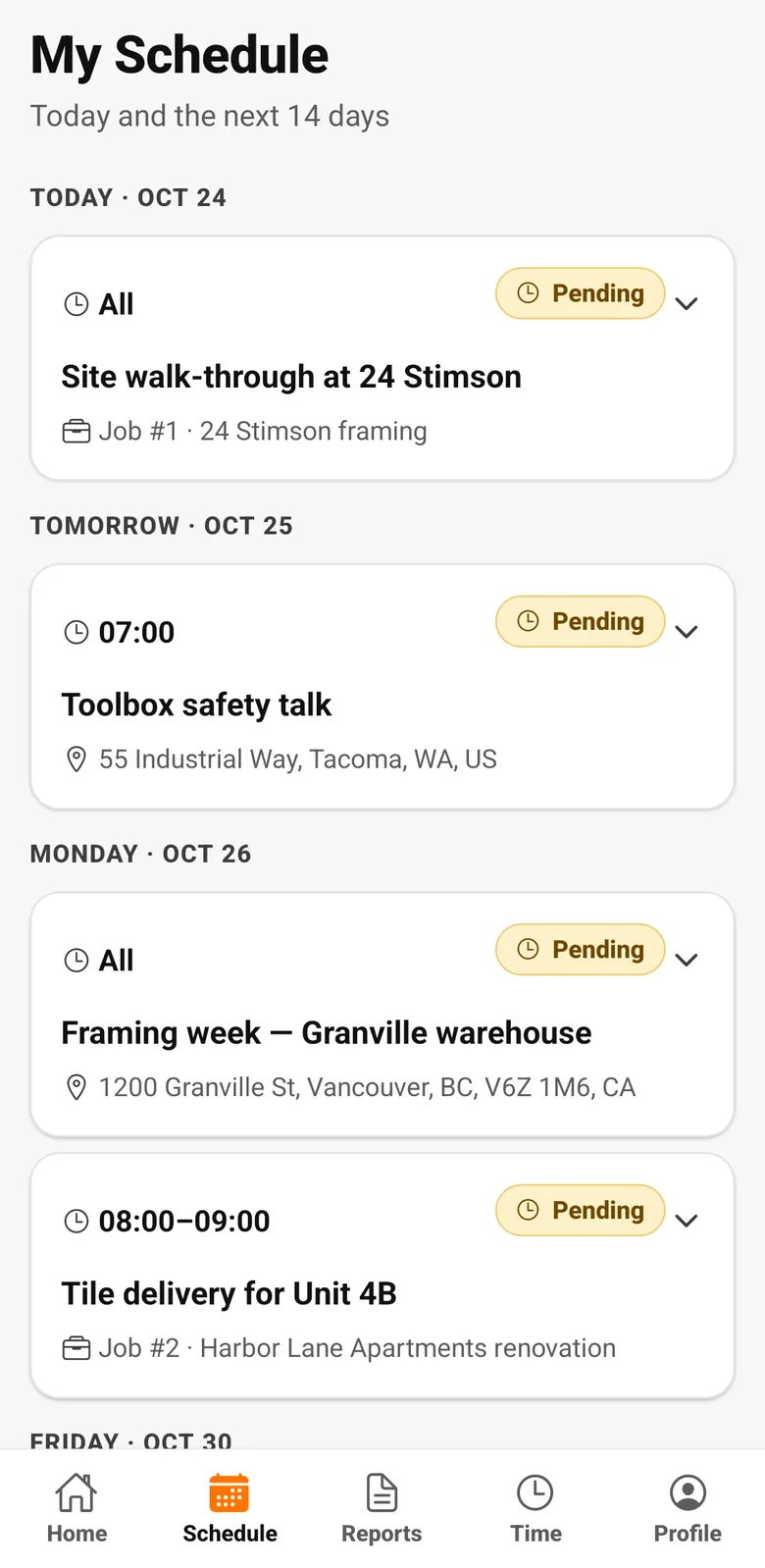
Crew & pay
Worker app
Workers clock in, see their schedule and hours, submit daily reports with photos and check their payments, in English, Spanish or Portuguese.
Learn more →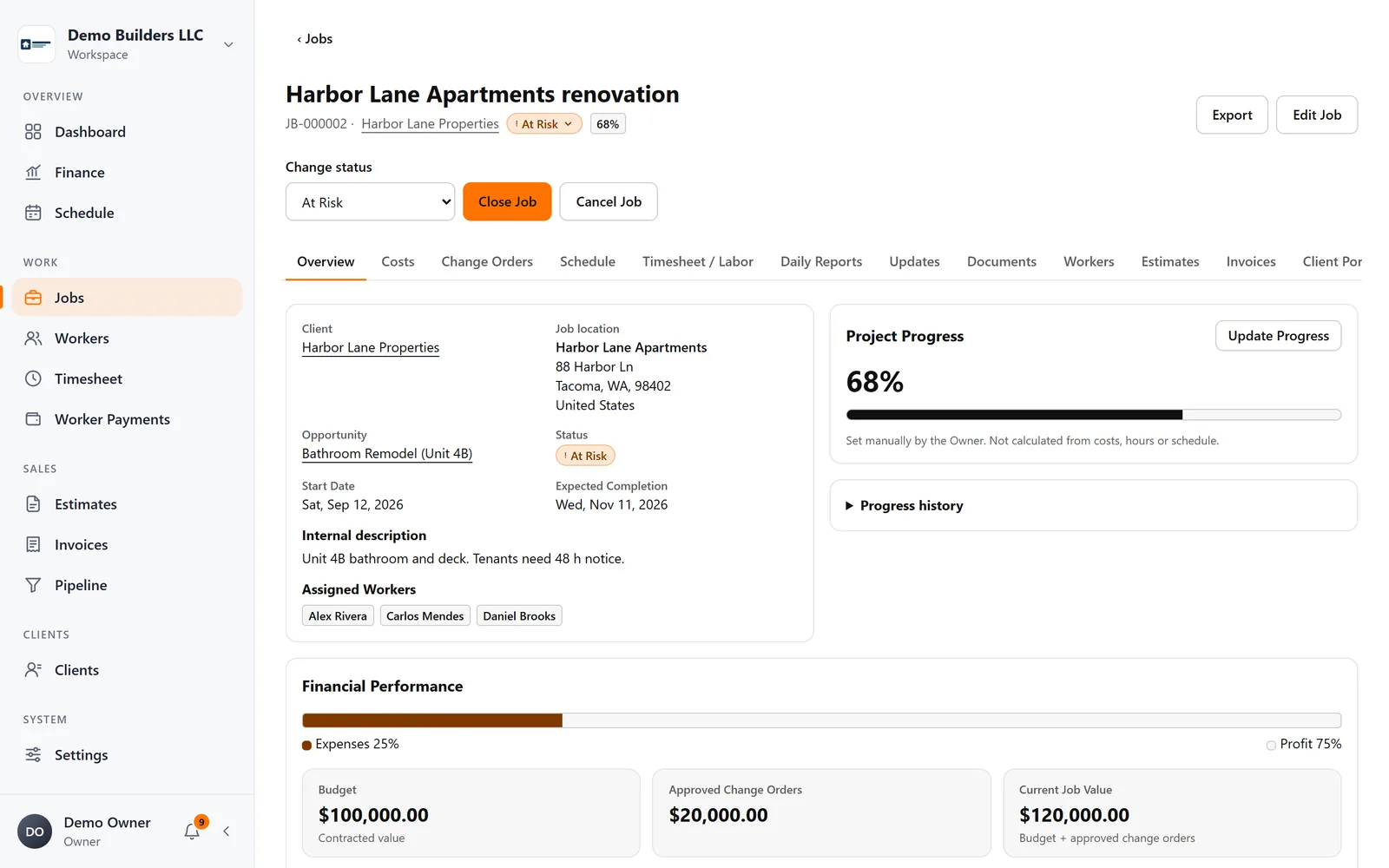
Jobs & profitability
Jobs & profitability
Track contract value, approved change orders, materials, expenses and crew labor on every job, and see profit and margin update as work happens.
Learn more →Run your next job with AGT Work Crew
Jobs, crew time, estimates, invoices and client updates, connected from day one.
- No credit card required
- 15-day free trial