

Hours ready for pay, with a record of every change
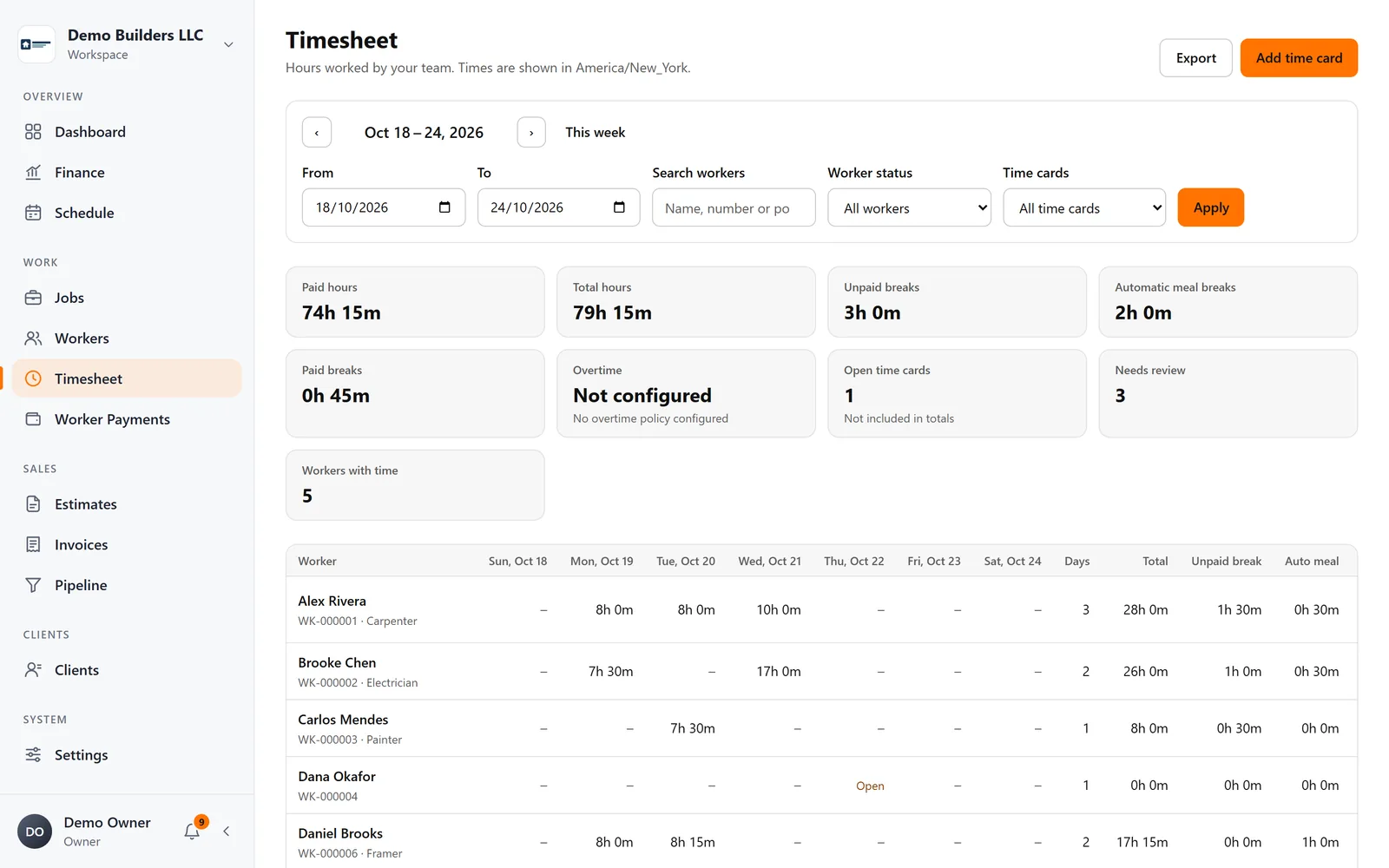
See hours by worker and period, correct entries with a full audit trail, apply your meal-break rules and export to PDF or CSV.
The problem
Adding up hours shouldn't take a day every week
Spreadsheets break, corrections disappear and nobody remembers why a time card changed.
What you get
- Weekly and custom periods, per-worker drill-down
- Manual entries and corrections with an audit trail
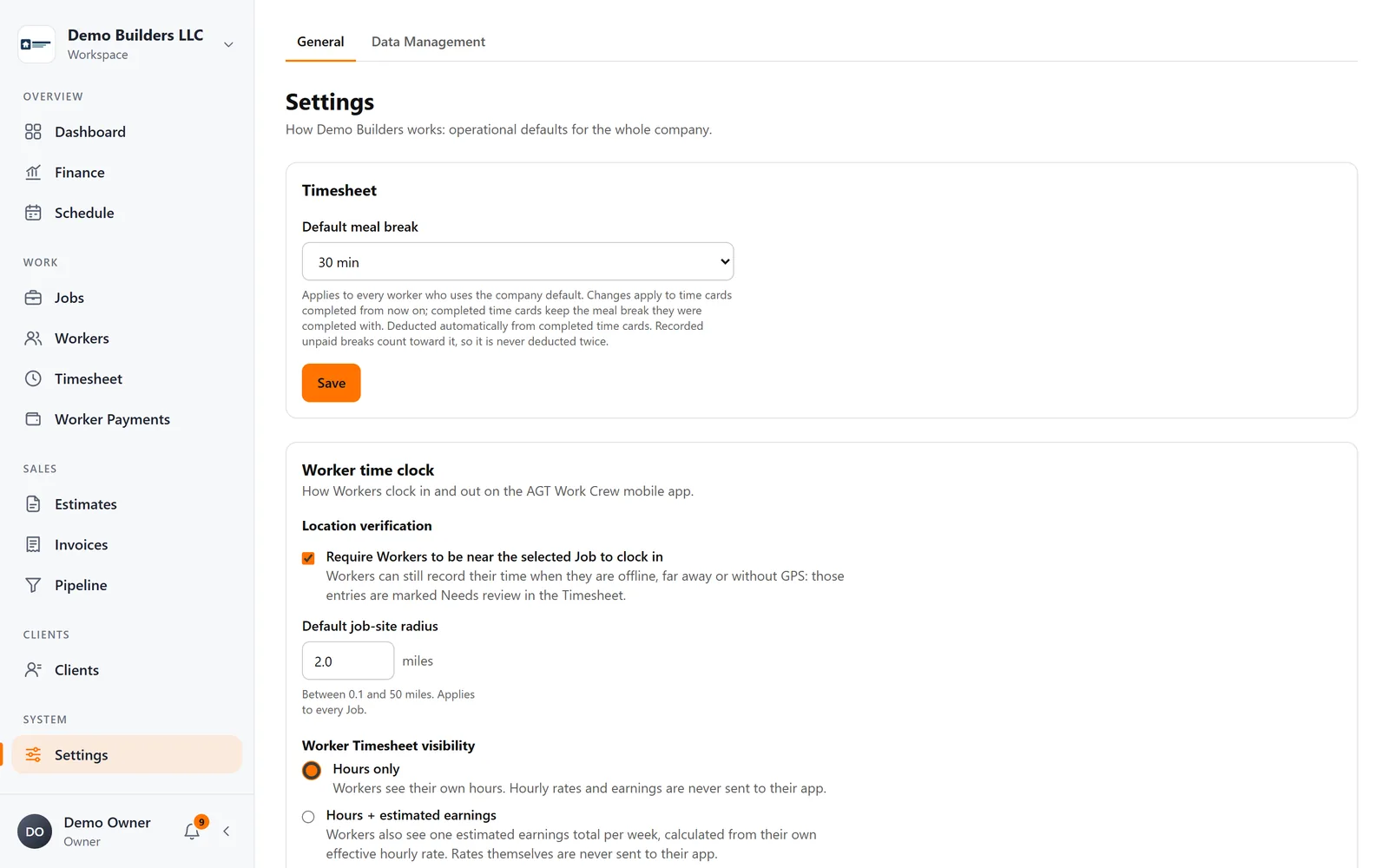
- Automatic meal-break deduction with per-worker override
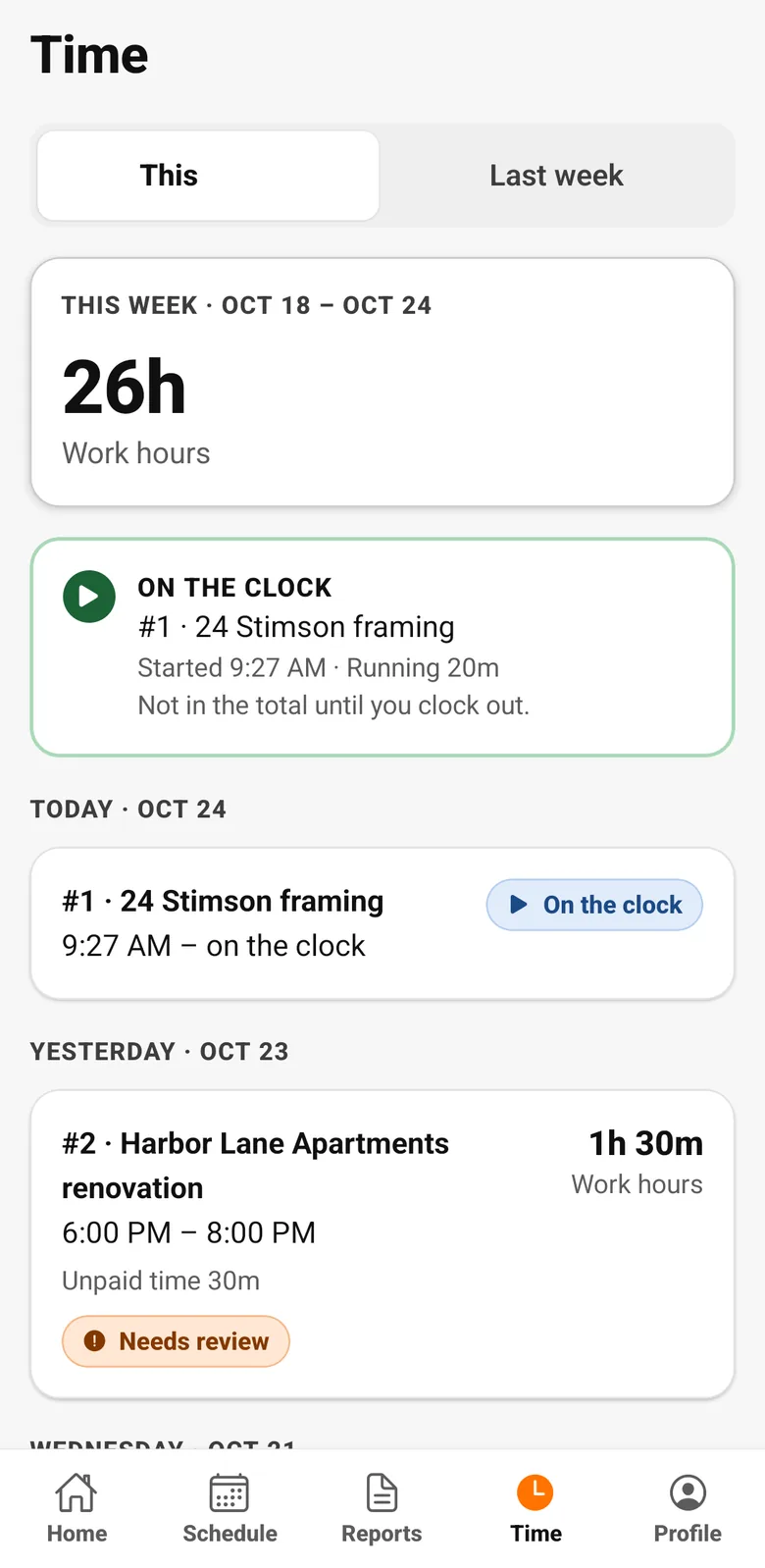
- Workers see their own hours in the app
- PDF and CSV export
How it works
Timesheets, step by step
- 1
Hours by period and worker
Weekly and custom periods, with each worker's detail one click away.
- 2
Fix mistakes the right way
Add or correct time cards with a reason. The original stays in the history.
- 3
Your rules
Automatic meal-break deduction with per-worker overrides, and choose whether workers see hours only or hours and estimated earnings.
- 4
Workers see their own hours
In the app, workers see this week's and last week's hours, so questions get answered before pay day.
Industries
Popular with
FAQ
Timesheets questions
Does AGT Work Crew calculate overtime?
Not yet. Hours, breaks and pay runs are calculated today; overtime rules are not configured in the product.
Can workers see their hours?
Yes, in the app: this week and last week, and optionally their estimated earnings if you allow it.
Works together with
Field work
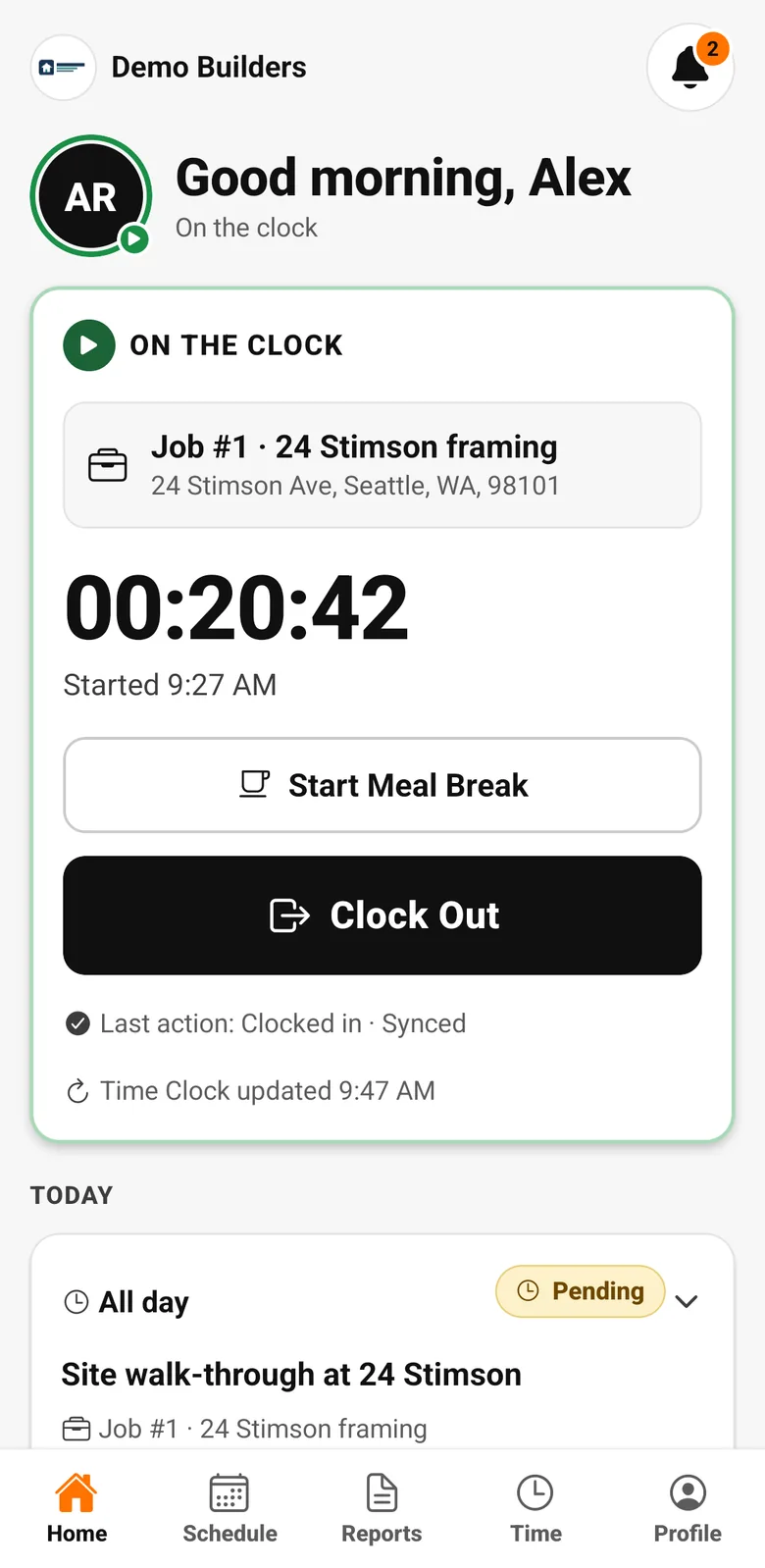
Time clock
Workers clock in and out on the job from the AGT Work Crew app, with meal breaks and a location check at each clock event. It works offline and syncs safely later.
Learn more →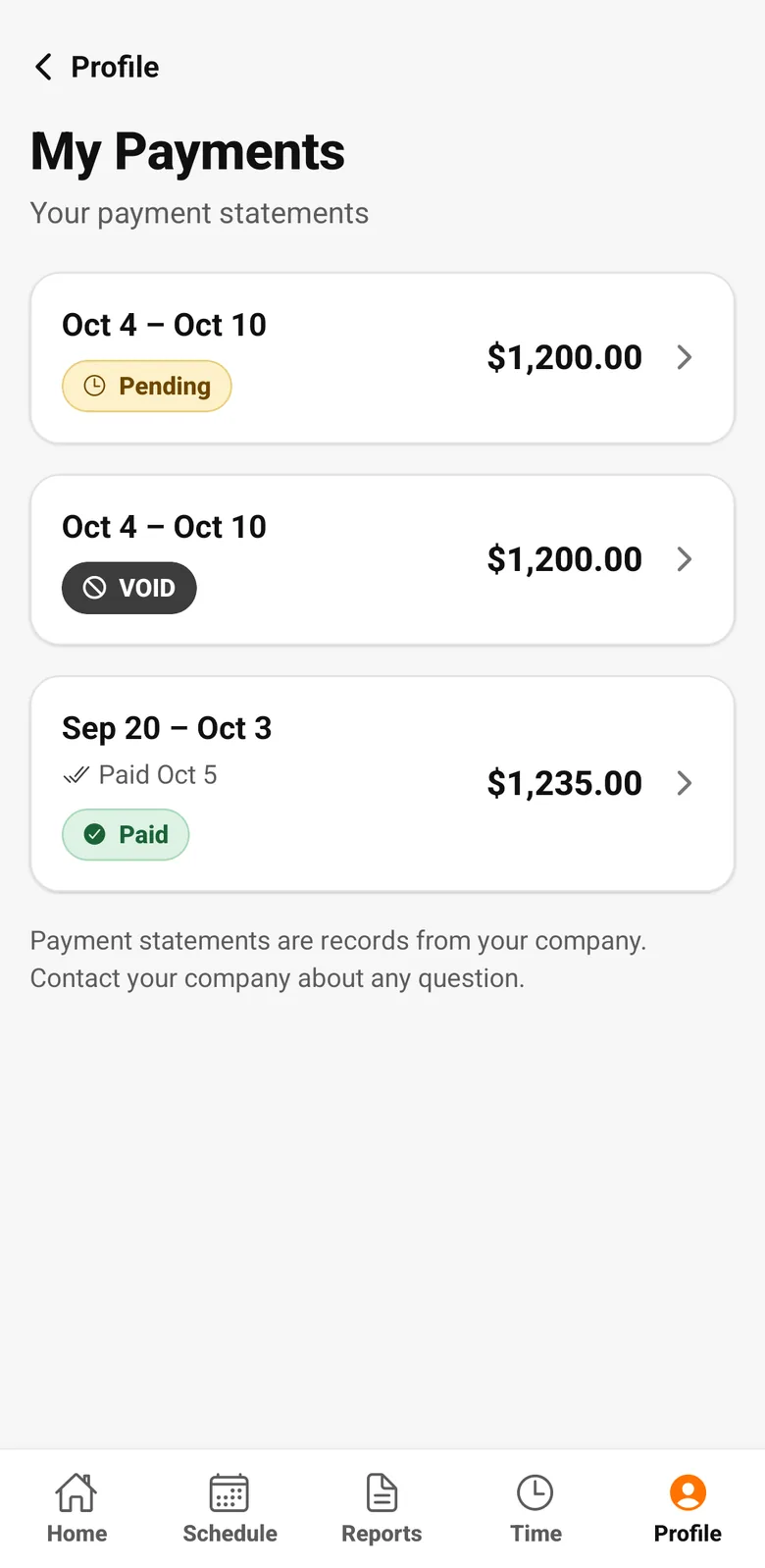
Crew & pay
Worker Payments
Create payment runs from timesheet hours and each worker's rate, add reimbursements or deductions, and give every worker a clear payment statement.
Learn more →Run your next job with AGT Work Crew
Jobs, crew time, estimates, invoices and client updates, connected from day one.
- No credit card required
- 15-day free trial