

How it works
Up and running in a day
No long setup project. Here's how a contractor goes from sign-up to the first job.
- 1
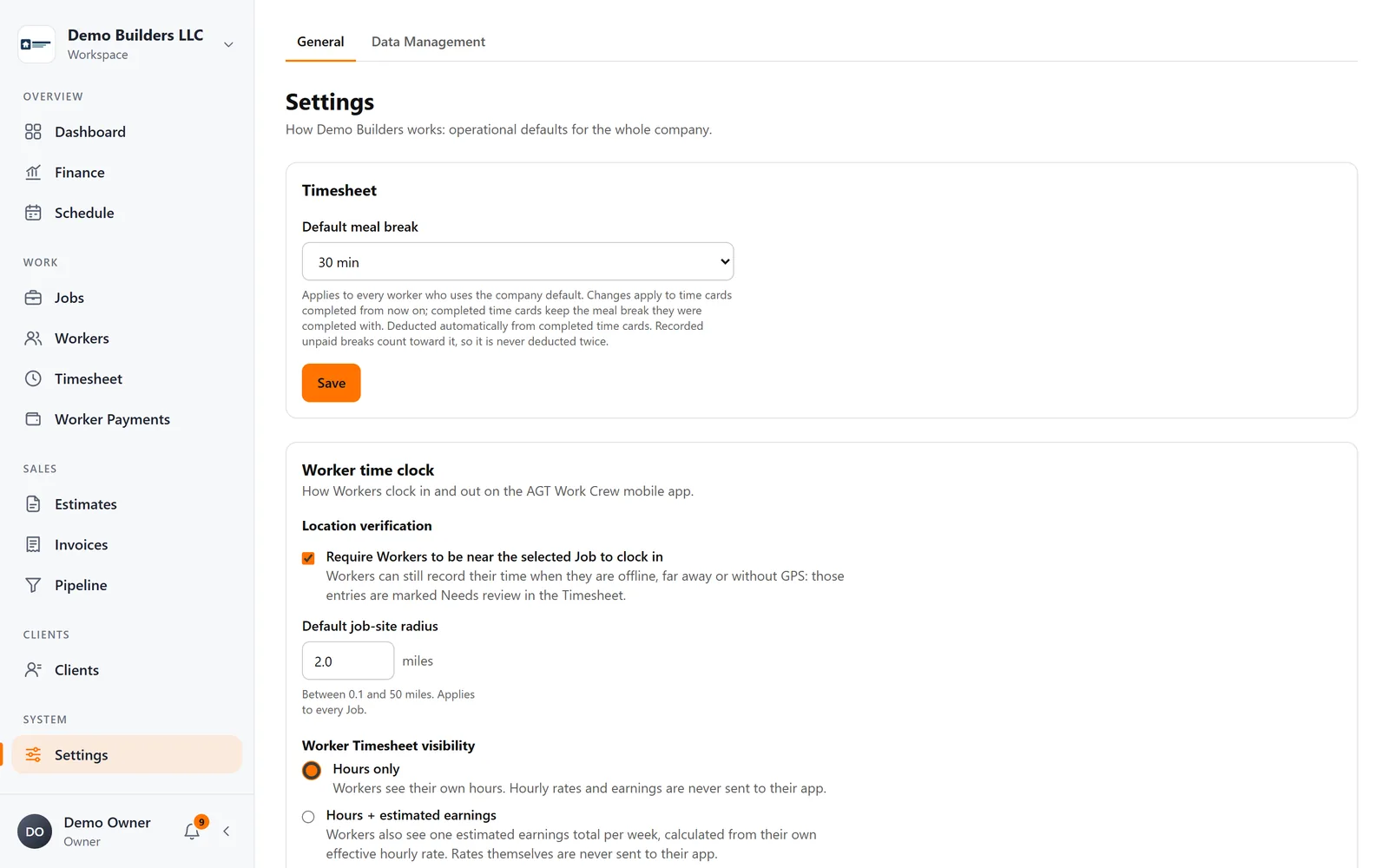
Set up your company
Add your company name, logo, address and contact details once. They appear on every estimate, invoice, PDF and email you send. Set your time-clock rules: meal break, location check and radius.
- 2
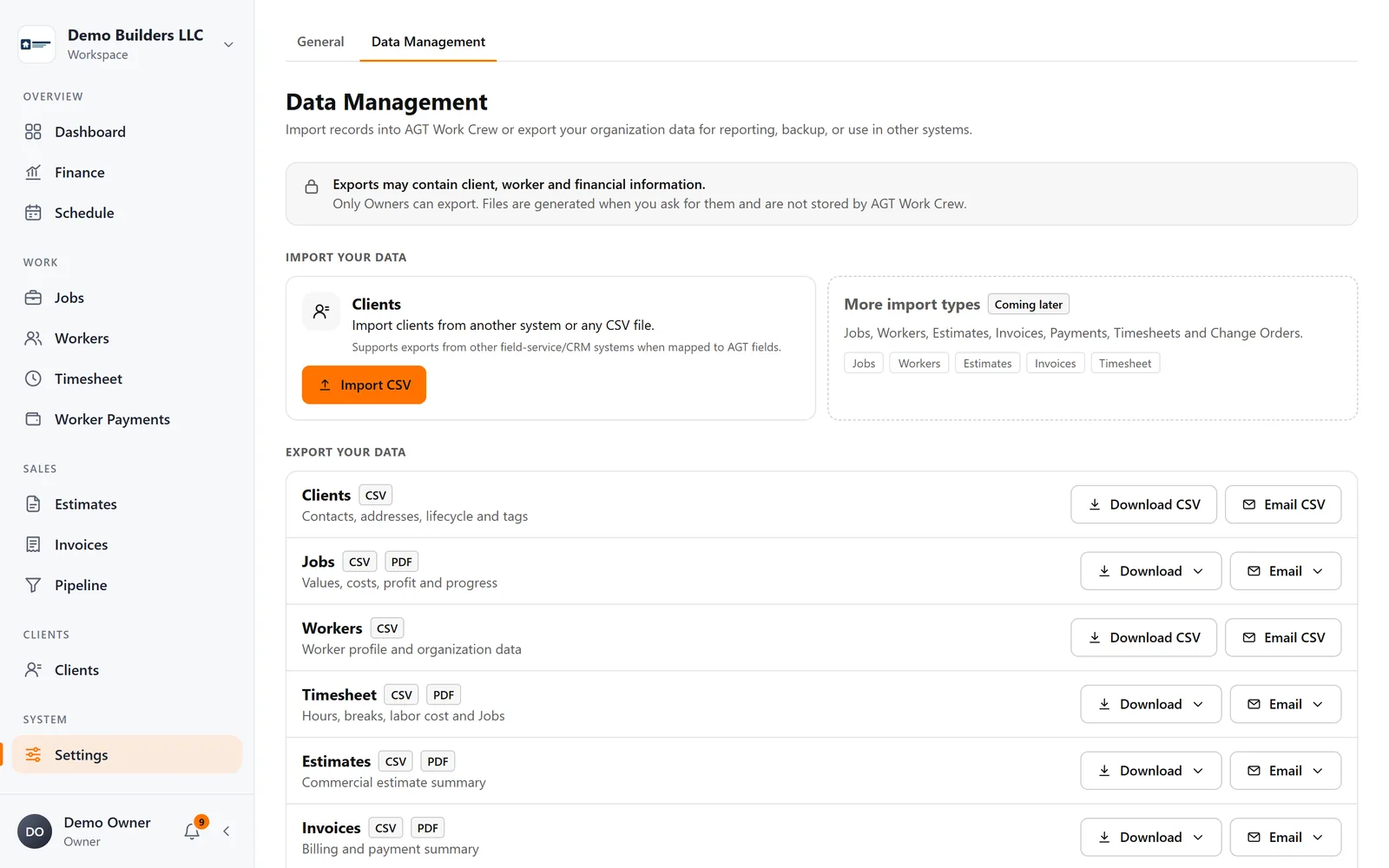
Bring in your clients
Import your client list from a CSV file with duplicate checks, or add clients as you go, with contacts and job locations.
- 3
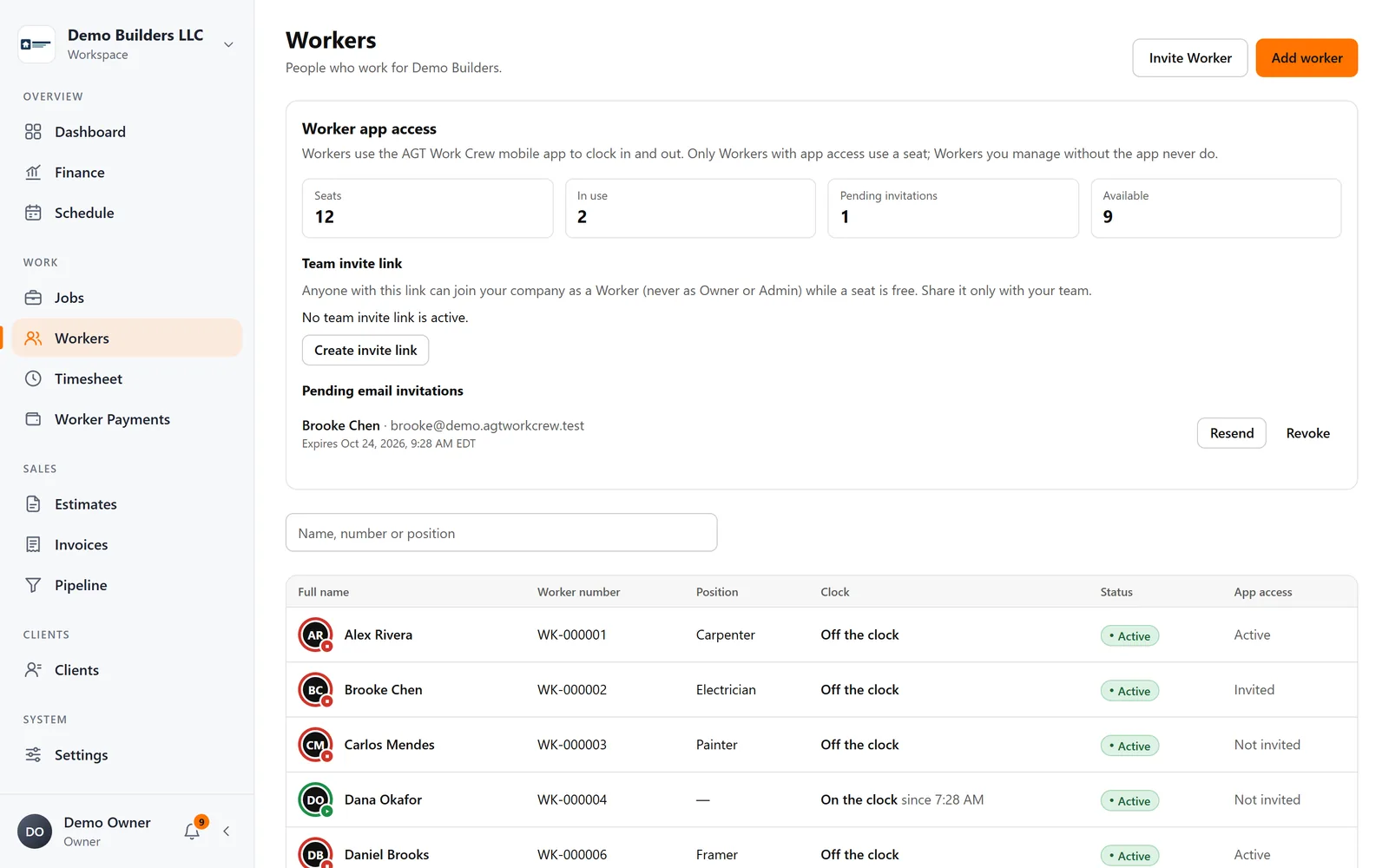
Invite your crew
Add workers with their hourly rates and invite them by email or with a team link or QR code. They join your company in the app.
- 4
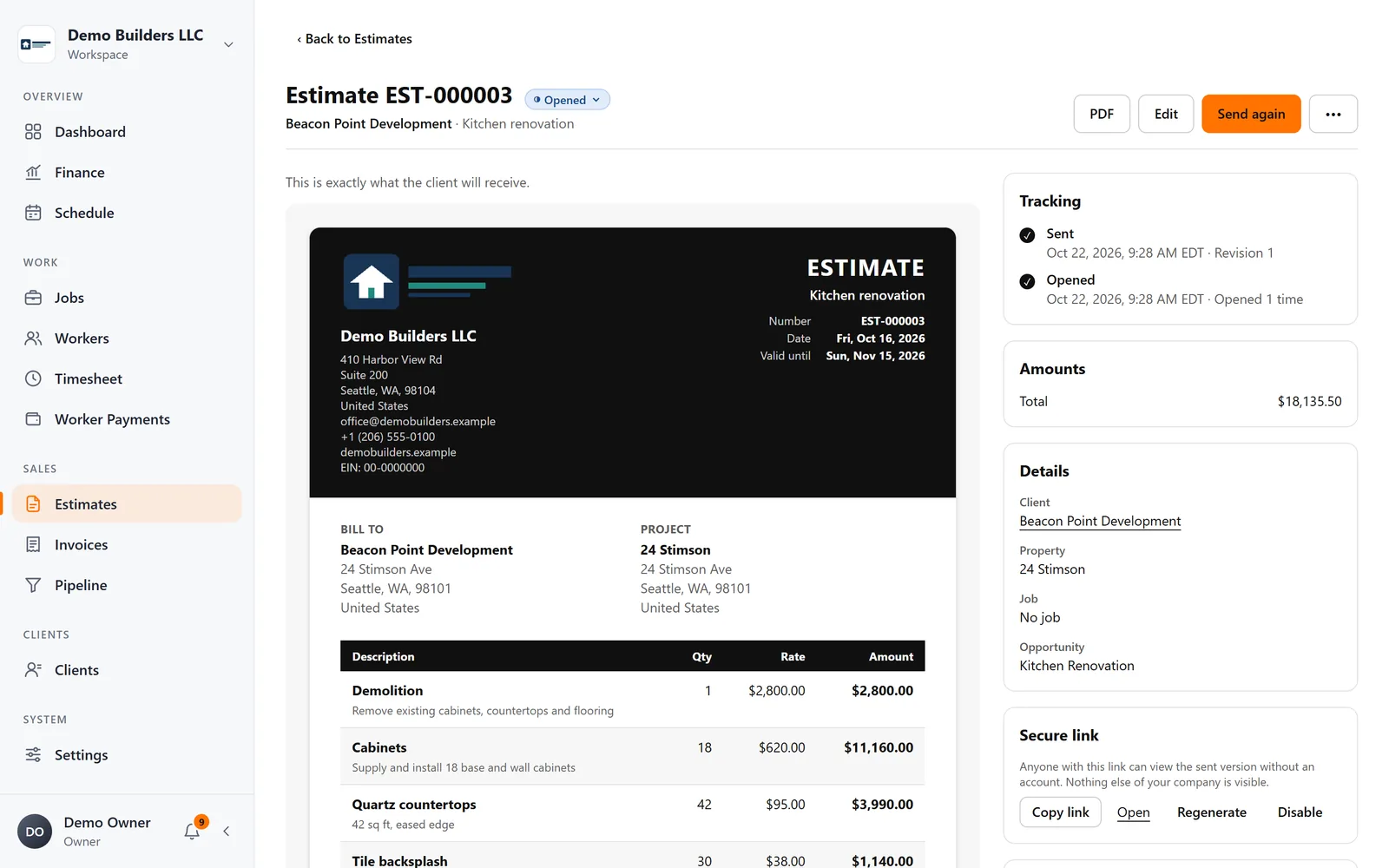
Send your first estimate
Build it with line items, discount and tax, send it as your company and let the client approve it online.
- 5
Run the job
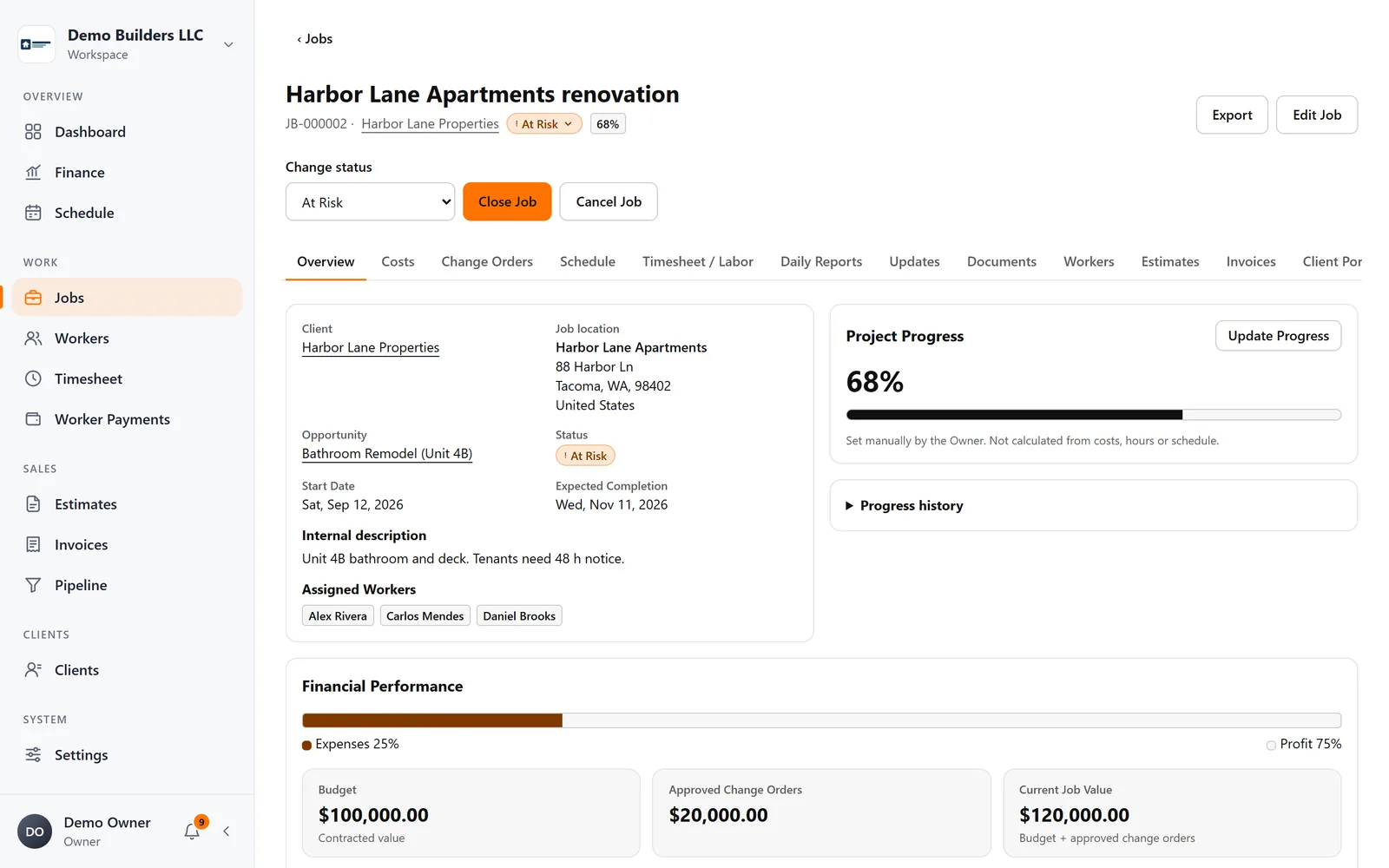
Convert the approved estimate into a job, schedule the crew and track costs. Hours from the time clock become labor cost.
- 6
Invoice and pay the crew
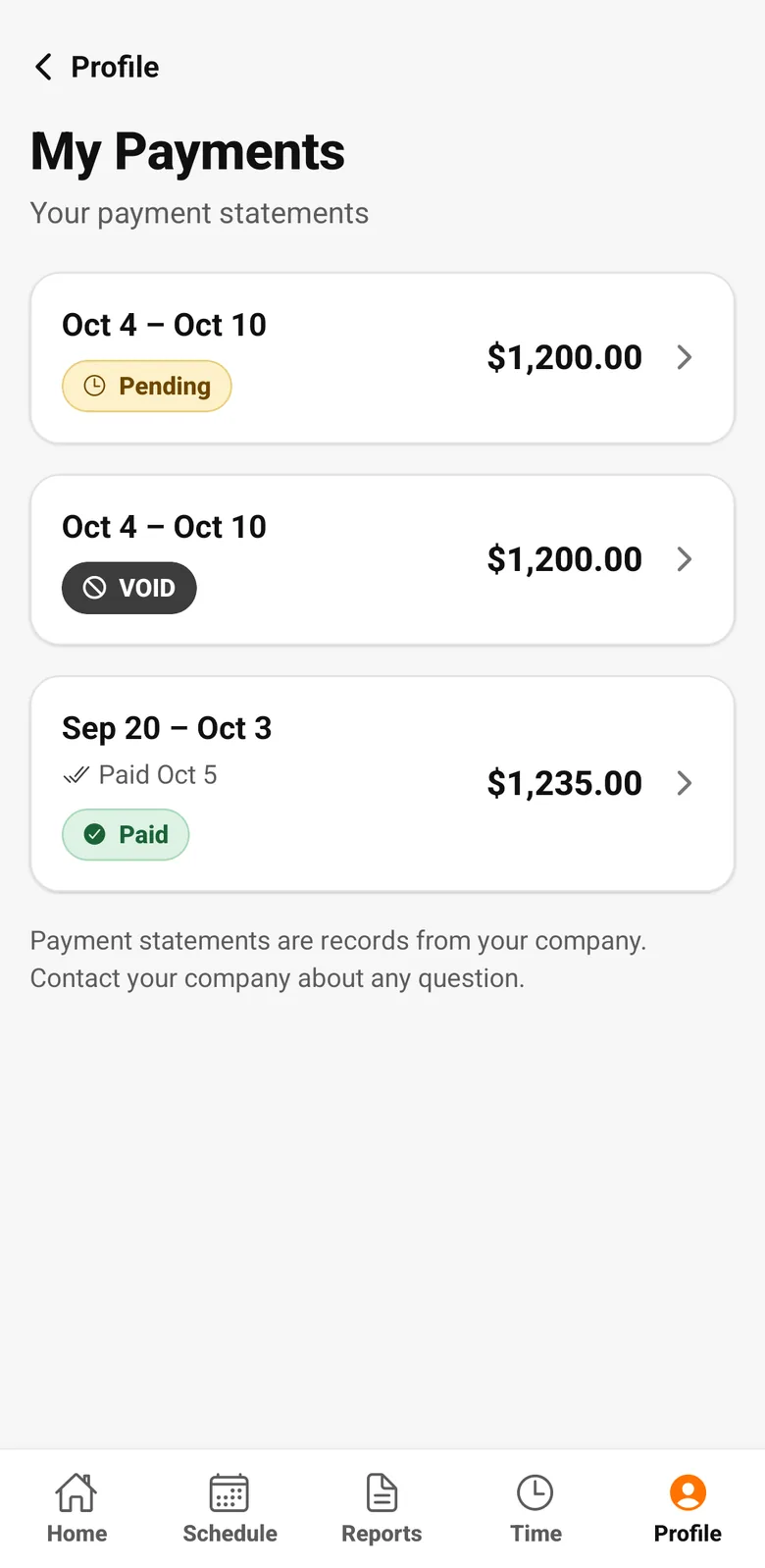
Invoice the job, record payments as they arrive and pay workers from their tracked hours with clear statements.
Run your next job with AGT Work Crew
Jobs, crew time, estimates, invoices and client updates, connected from day one.
- No credit card required
- 15-day free trial