
Scope changes once the work starts
Hidden damage and homeowner requests add work you need to get approved and paid for.
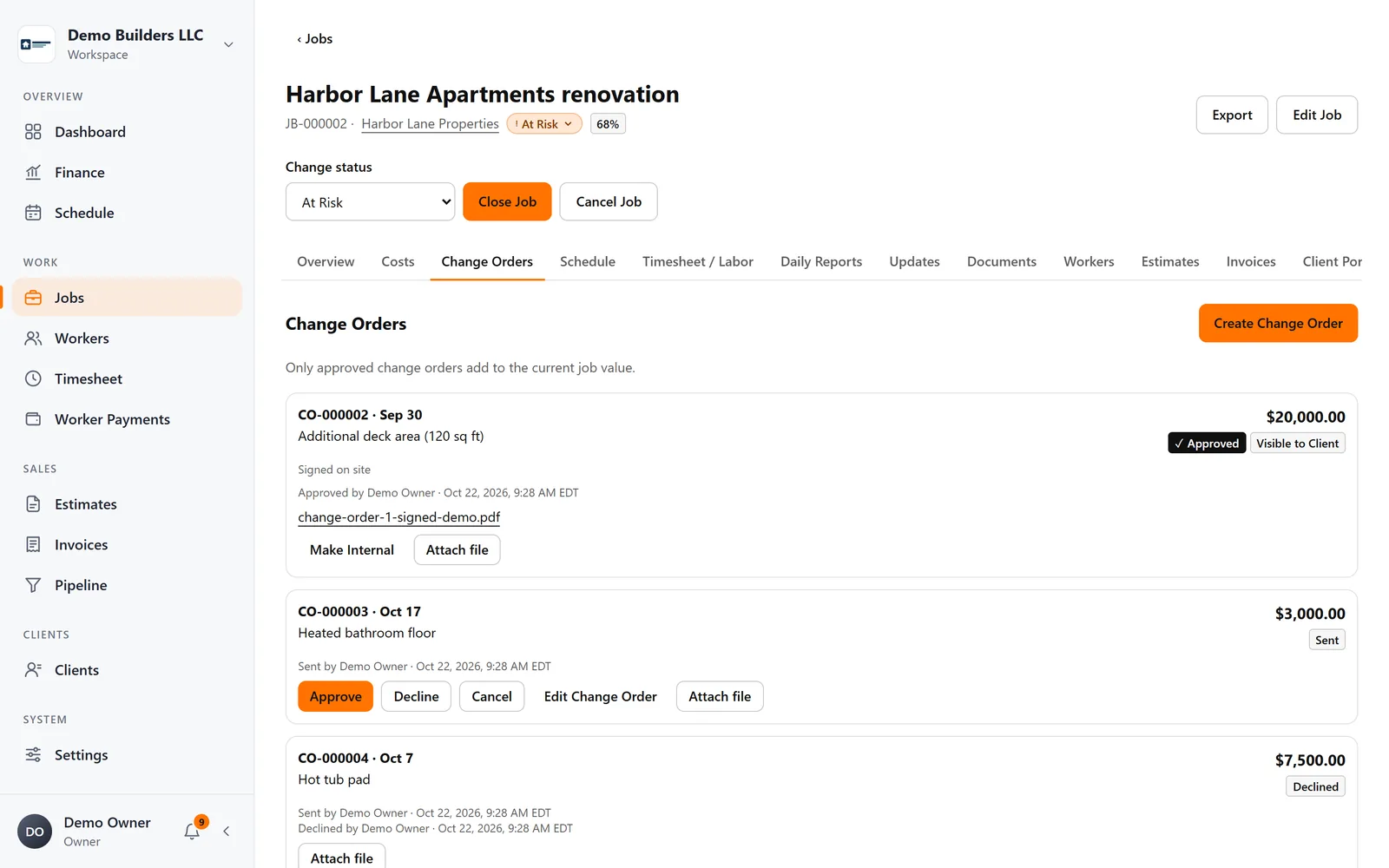
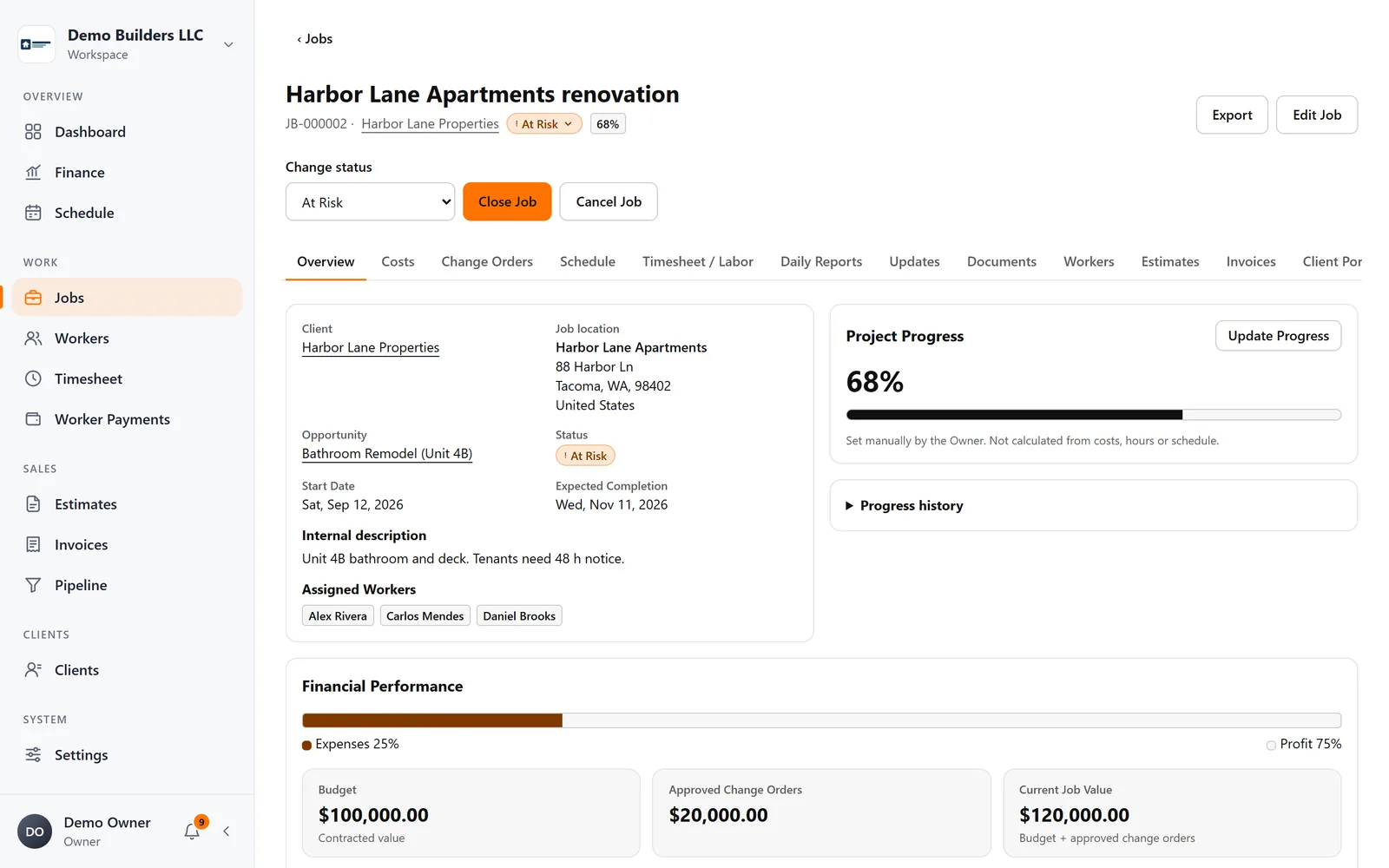
Create change orders on the job and track their status. Approved ones update the job value automatically.
Renovations change as walls come down. Keep every change order approved, every hour tied to the right job and every homeowner up to date with photos.
Remodeling & renovation
Hidden damage and homeowner requests add work you need to get approved and paid for.
Create change orders on the job and track their status. Approved ones update the job value automatically.
Living in a renovation is stressful, and silence makes it worse.
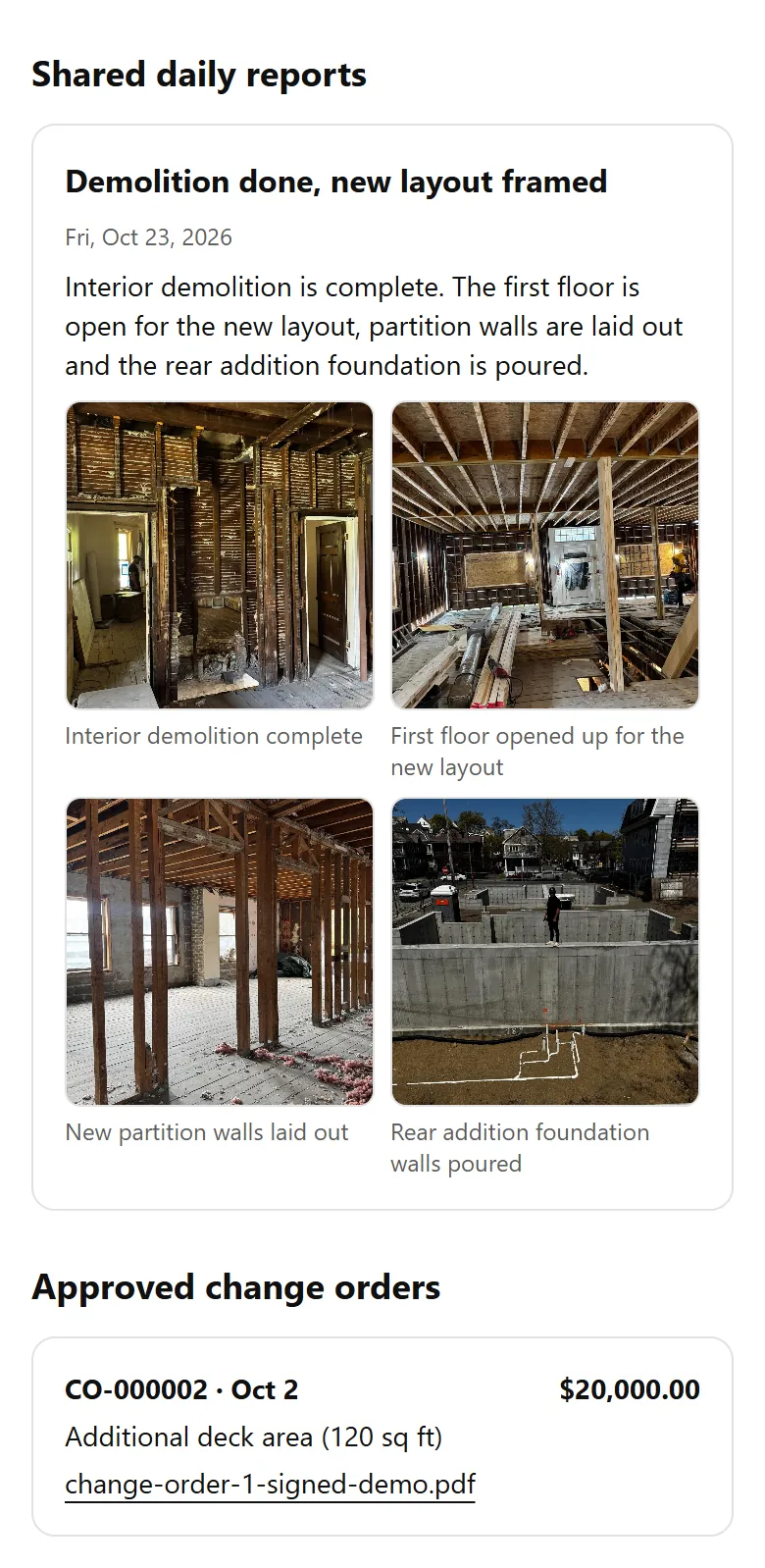
Share daily reports with photos and client updates in the Client Portal, or email a report straight from the job.
PDFs in an inbox wait for days.
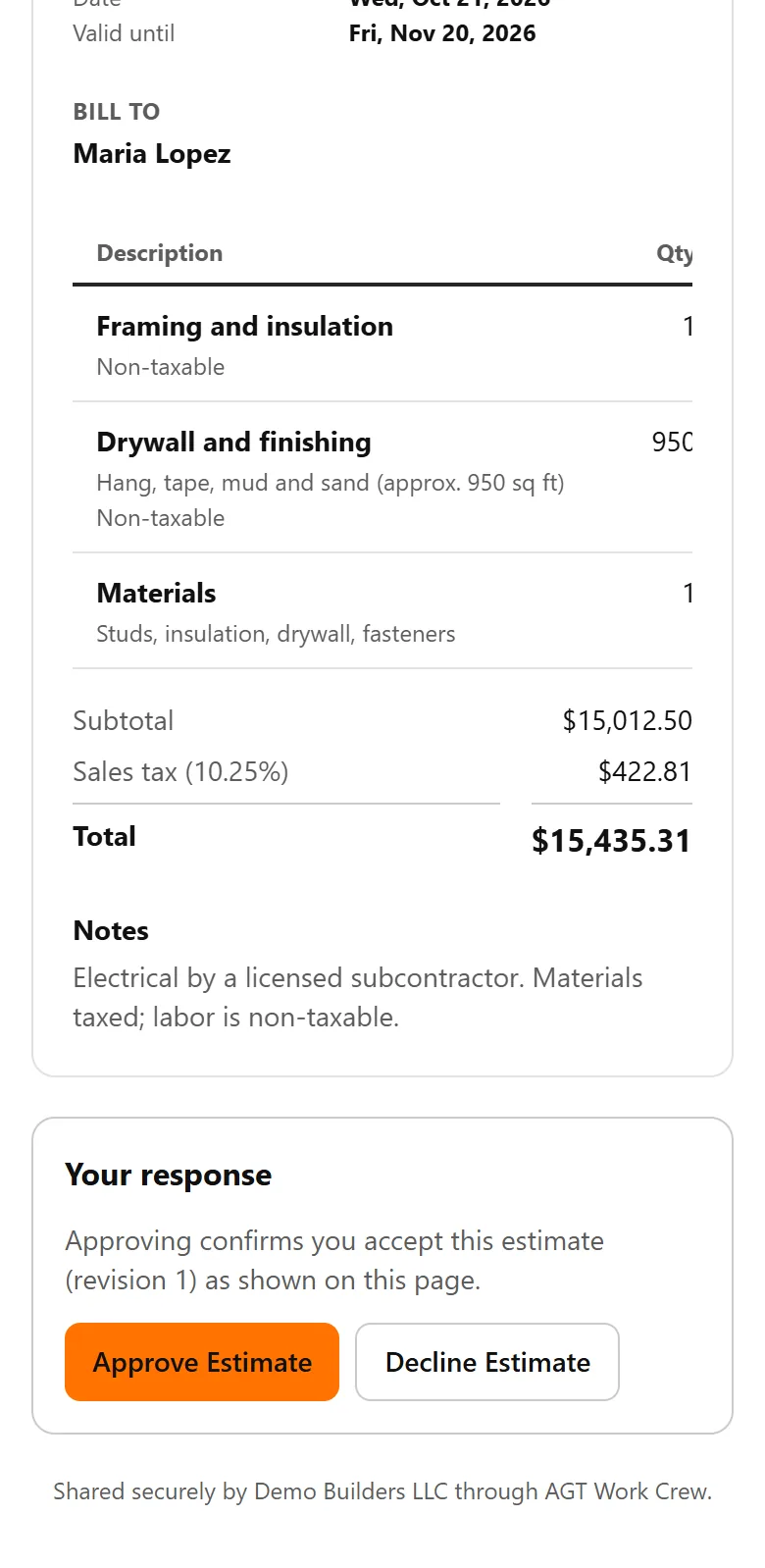
Send branded estimates the homeowner can approve or decline online, and see when they open them.
Example workflow
Client communication
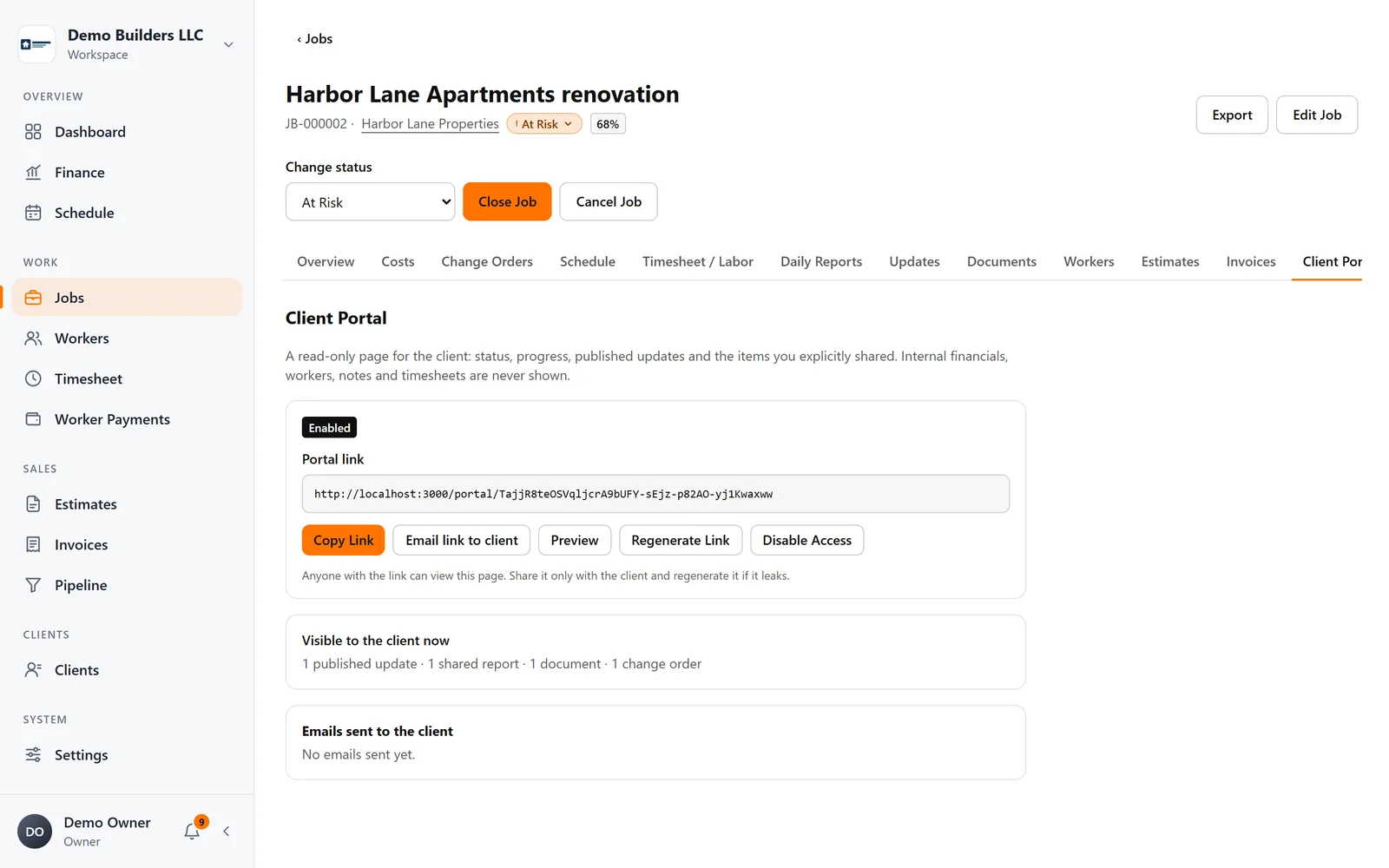
Give each client a secure project page with progress, updates, shared daily reports and photos, approved change orders and documents, with no account to create.
Learn more →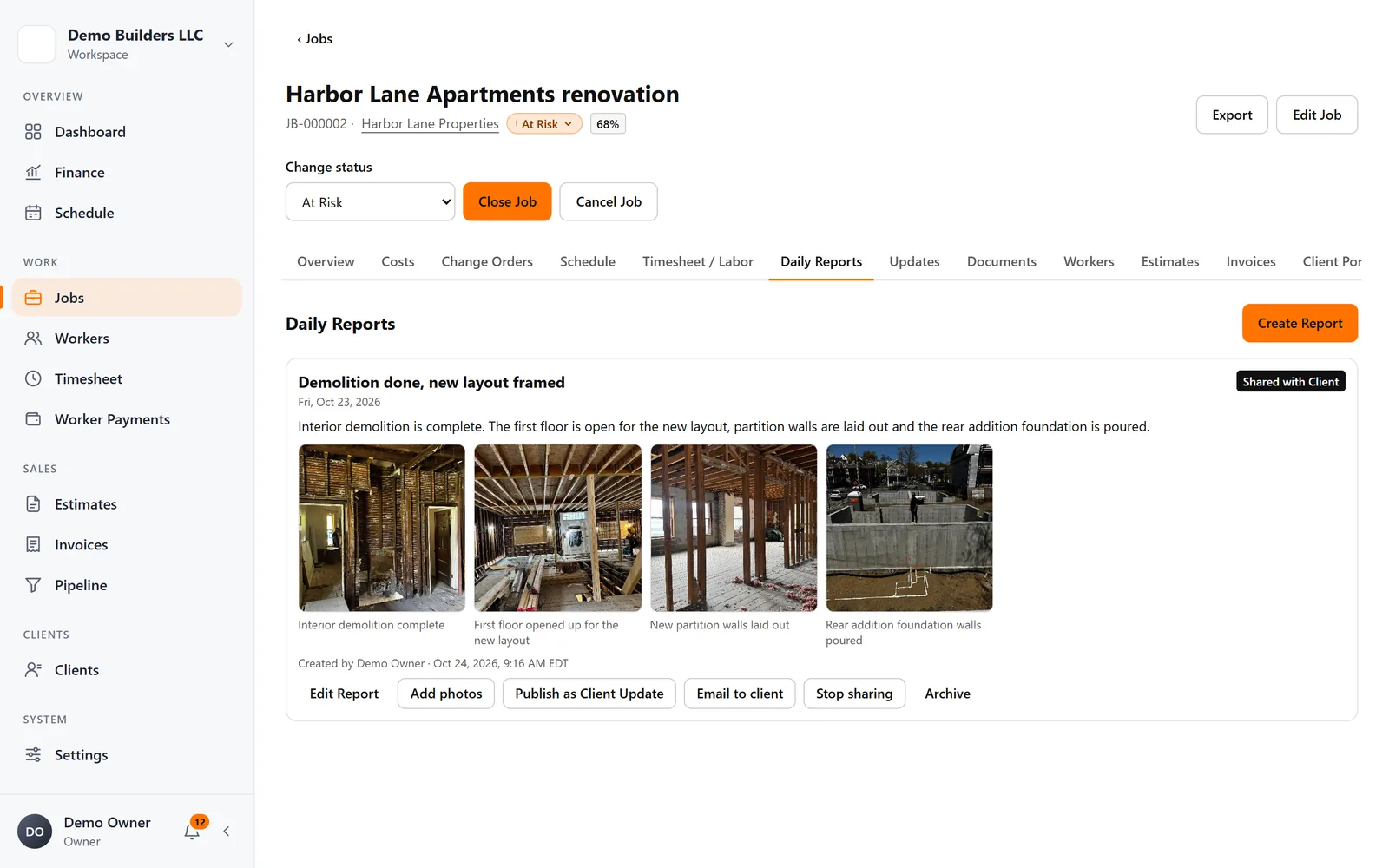
Field work
Workers or you write daily reports with photos and captions. Keep them internal, or share them with the client in the Client Portal and by email.
Learn more →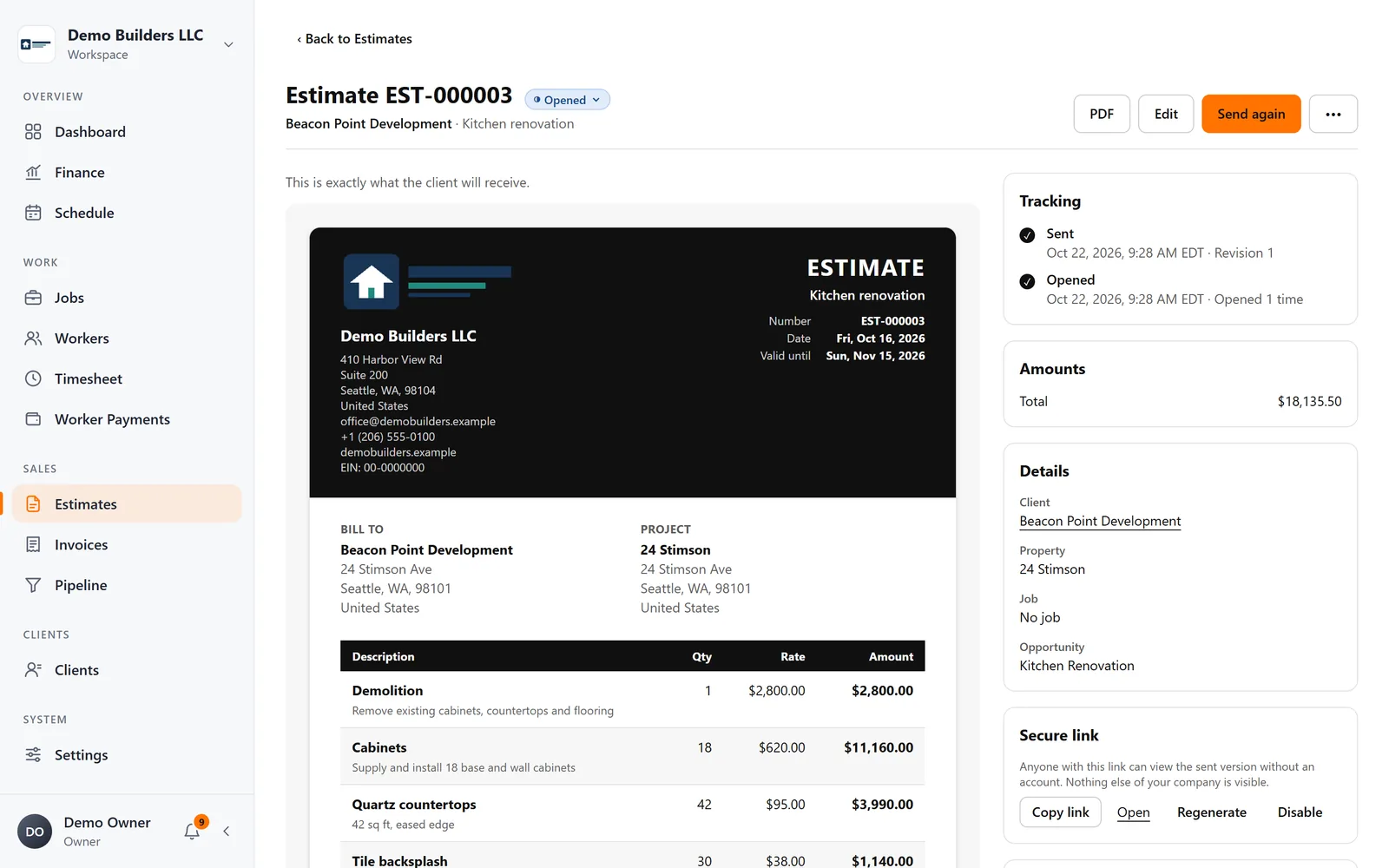
Sales & billing
Create branded estimates and invoices, send them by email as your company, see when clients open them, and let clients approve or decline estimates online.
Learn more →Jobs & profitability
Track contract value, approved change orders, materials, expenses and crew labor on every job, and see profit and margin update as work happens.
Learn more →FAQ
No. The Client Portal shows only progress and what you choose to share.
Not yet. Estimates and invoices are created in the web app today; the mobile app is for your crew.
Jobs, crew time, estimates, invoices and client updates, connected from day one.