Change orders without the fight: price it, approve it, then build it
Most change-order fights start when work comes before the price. A simple three-step rule, with practical tips for remodelers around Boston.
By AGT Work Crew Team
A kitchen remodel in Medford, week three. The client stops by on a Saturday and asks the crew to move the island a foot and add two more recessed lights. "Sure, no problem," says the lead carpenter. Six weeks later the final invoice shows an extra $2,400, and the client says the words every contractor dreads: "I thought that was included."
Nobody lied. Nobody was greedy. The problem is the order things happened in: the work came first, the price came later, and the approval never came at all. Change orders don't cause fights. Unpriced, unapproved changes do.
The rule: price it, approve it, then build it
Every change, big or small, goes through the same three steps, in the same order. No exceptions for friendly clients, small favors or busy weeks. The moment you skip one, you're negotiating after the fact, and after the fact the client holds all the leverage: the work is already in their house.
1. Write the change down on the spot
The best time to capture a change is the moment someone asks for it. Before anyone picks up a tool, write down:
- What changes: the specific work added, removed or modified, in plain words.
- Why: the client asked for it, a hidden condition showed up, or an inspector required it. The reason matters later, when memories differ.
- Who asked: the person who requested it, and whether that person is the one who signed the contract.
Make it a crew rule: nobody in the field says yes to extra work. The crew can say "great idea, let me get you a price," and pass it to you. That one sentence prevents most change-order fights before they start.
2. Price it completely
A change order priced on a napkin usually loses money. When you price a change, include everything it really costs:
- Labor, including the extra trip, setup and cleanup, not just the hands-on hours.
- Materials, plus anything already bought that now can't be used or returned.
- Disposal and other costs: another dumpster load, a rental, a revised permit.
- Time: if the change pushes the schedule, say how many days. A two-day delay in November can turn into a two-week delay when the weather closes in.
- Your markup. Changes interrupt a planned job. They deserve the same margin as the original work, not less.
Changes also go the other way. If the client drops the backsplash or supplies their own vanity, write a credit. Clients trust a contractor who prices changes in both directions.
3. Get approval before the work starts
Approval means the person who signed the contract agrees, in writing, to the scope and the price of this specific change, before your crew does the work. A thumbs-up in the driveway is not approval. A text that says "sounds good" is better than nothing, but it rarely says what was approved or for how much.
What about real surprises? Open a plaster wall in a Lowell triple-decker and you might find rotted framing or old wiring that can't stay. When work has to stop:
- Stop and document. Take photos and note what you found and where.
- Call the client the same day. Explain what you found, what the options are and roughly what each one costs.
- Send the written change order right away, and wait for approval before you close the wall.
A day's pause costs far less than an argument about work the client never saw.
4. Keep a running total the client can see
The worst moment to learn about changes is the final invoice. Keep a simple running number for every job:
Contract value + approved change orders = current job value
Share it as you go. When the client can see that the job started at $48,000 and is now $53,600 because of three approved changes, the final invoice is a confirmation, not a surprise. It also keeps you honest: if a change isn't approved, it isn't in the number, and you shouldn't be building it yet.
Handling the hard ones
- "While you're here" favors. Write them up even when you don't charge. A no-cost change order shows the client what you gave them, and it stops small favors from becoming expectations.
- The client pushes back on the price. Offer options instead of discounts: a simpler fixture, a smaller scope, or doing it after the main job is done.
- A spouse, a tenant or a property manager asks for the change. Get approval from whoever signed the contract, or from someone they have clearly authorized.
- Pending changes pile up. Follow up on every change order that is waiting for an answer. Work you can't build is holding up work you can.
How AGT Work Crew helps
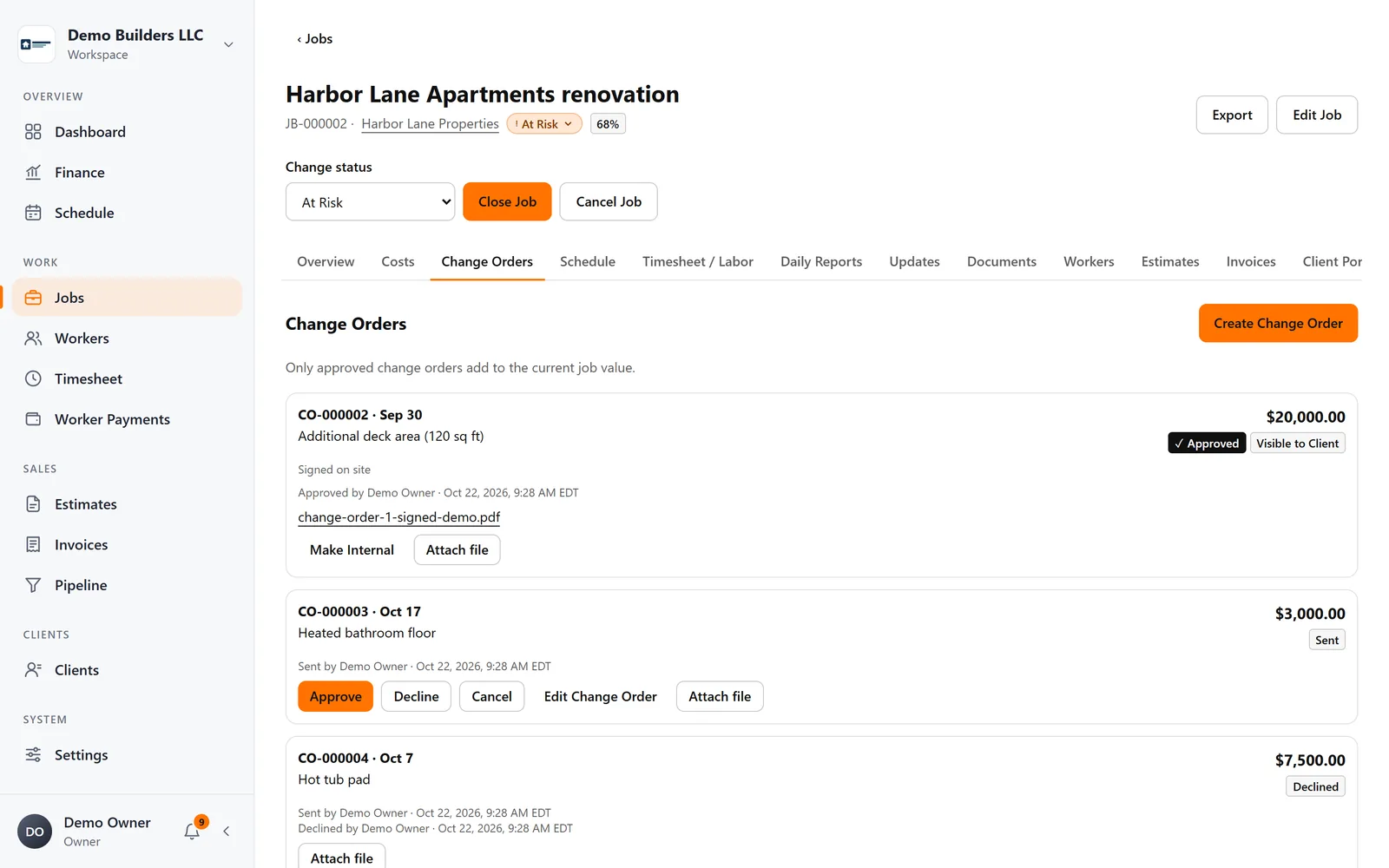
In AGT Work Crew, change orders live on the job they belong to, next to the contract value, costs and margin.
- Draft, send and approve change orders on each job. Drafts and sent change orders are tracked, so pending changes don't get lost.
- Only approved change orders add to the current job value. The contract value plus approved changes is always up to date, and so are profit and margin.
- With the Client Portal turned on, the client can see approved change orders on their secure project page, along with progress and the updates you share. Internal costs are never shown.
- The job's activity history shows who changed what and when.
Price it, approve it, then build it, every time, and change orders become part of the job instead of the fight at the end of it. See jobs and change orders in AGT Work Crew.